Hi guys
I did some experimenting with an Aggregate Device as suggested, but couldn't figure it out well enough by my livestream yesterday.
However - I figured out a great solution for my needs... Thought I'd list it here in case anyone needs assistance getting sound from their DAW (say Logic Pro) into OBS, but still wants to be able to play along/monitor with zero latency
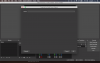
There is a free app (available in the Mac App store) called LadioCast. This is a virtual mixer that allows you to pipe audio from a physical device to other outputs.
In this situation, I'm using my RME Fireface UFX in LogicPro as my input and output device.
In LadioCast in "Input 1" I have set channel 1 and 2 of the RME UFX (the main outputs)
In the "Main Output" I have Soundflower set.
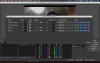
Then in OBS I have my Audio Input Capture device set to Soundflower.
That way I get all of my audio into OBS, and can see the levels on the meter. I can monitor this in OBS if I want (at least to hear it - it's gonna have latency), but I don't bother with that - I just monitor out of Logic Pro as I would in a normal situation.
I used this setup on my Facebook Live stream last night and streamed for 1.5 hours and it looked and sounded great!
Next time - I'll make sure to ask the wife to stay off Netflix during the livestream, as I had a couple of broadcast interruptions when I saw the bitrate get really low.
I hope that this helps someone!
It took some figuring out, and I am so glad that I persevered!