

I'm an OBS Noob but it's only technology after all, I'm about to start streaming my daughter's football matches. As part of the preparation I've been playing with number of OBS configurations using a Panasonic video camera, a GoPro and more recently I have been "playing" with the NewTek NDI HX for an Android cellphone. It seems to connect well from my Samsung A50. In OBS I can see that the audio level meters respond to sound on the NDI feed but I don't have any audio output from the NDI feed in the output stream. I'm currently using Twitch. Using the inbuilt webcam for audio and video I get audio and video in the output stream, playing pre recorded MP4 videos using VLC I get audio and video. Clues anybody, I struggled to work out how to install the NDI plugin for OBS but it seems to be installed but I may have made an error..
You are using an out of date browser. It may not display this or other websites correctly.
You should upgrade or use an alternative browser.
You should upgrade or use an alternative browser.
No Audio in Output Stream from OBS with NDI HX Camera
- Thread starter JohnPee
- Start date
" In OBS I can see that the audio level meters respond to sound on the NDI feed but I don't have any audio output from the NDI feed in the output stream. "
The "respond" is in the audio bars below Preview?
if this is correct check, if you right click on the bar and select "advanced audio properties" that this bar name for example "NDI SOURCE X" is not "Monitor Only" it needs to be set at "Monitor off" (sound to "exit" but not hearing on monitor audio device) or "Monitor and Output"
And you need to select the "checkbox" on "Tracks" from Stream/Record
At "File->Settings" Windows navigate to "output->Stream/recording" there are areas with names "Audio Track" for streaming and "Audio Track" for recording"
Only the there selected tracks are send to stream and the record files
so if the bars "bump" the sound go to OBS
if there not in "stream" or "record" then the tracks from advanced are missmatch the tracks from Output setttings
its required to have a "check" on "advanced" on the Tracks for this source from "stream/record" tracks
means if at "output-stream" the select is on "Track 1" and on "output-recording" "track 1/2/3/4"
then there is required for stream you have on "advanced audio" for "NDI SOURCE X" a Check on "Track1" to "Hear" on Streaming and a checkmark on "1-4" one ore multiples for the record
The "respond" is in the audio bars below Preview?
if this is correct check, if you right click on the bar and select "advanced audio properties" that this bar name for example "NDI SOURCE X" is not "Monitor Only" it needs to be set at "Monitor off" (sound to "exit" but not hearing on monitor audio device) or "Monitor and Output"
And you need to select the "checkbox" on "Tracks" from Stream/Record
At "File->Settings" Windows navigate to "output->Stream/recording" there are areas with names "Audio Track" for streaming and "Audio Track" for recording"
Only the there selected tracks are send to stream and the record files
so if the bars "bump" the sound go to OBS
if there not in "stream" or "record" then the tracks from advanced are missmatch the tracks from Output setttings
its required to have a "check" on "advanced" on the Tracks for this source from "stream/record" tracks
means if at "output-stream" the select is on "Track 1" and on "output-recording" "track 1/2/3/4"
then there is required for stream you have on "advanced audio" for "NDI SOURCE X" a Check on "Track1" to "Hear" on Streaming and a checkmark on "1-4" one ore multiples for the record
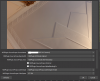
How do I navigate to that screen you attached referencing the "Source Props Sync". I cannot seem to find the path to it. Thanks! HowardI have found an odd post on the net about sound and NDI and a possible bug. The suggestion was to change the "Source Props Sync" to "NDI Timestamp". Which I did, it seems to have resolved the issue.