When I try to do any of my videos (regardless of resolution or such) I get the same error on every one I've tried.
"recording remuxed but the file may be incomplete"
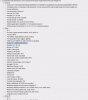
I have actually tried this on two separate PCs. Mine is the log file that is attached - I've tried it over the network as well as copying some test files to my desktop. The log says VLC isn't installed, but it IS installed and I can convert files fine with VLC - same ones fail with OBS. It's an instant completion error with a 0kb file created.
MP4 only supports a limited set of codecs whereas MKV supports almost anything. It's possible the files you're trying to convert are using an incompatible codec.
My library is mostly bluray and 4K discs I have ripped personally so they are in HEVC format. Others are H.265 to save some space if the highest fidelity wasn't paramount. Here's an example - is it compatible for mp4 format? Is there any sort of guide? I'd hate to use handbrake on 56TB of high fidelity video files and waste all that time. :(
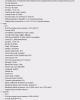
Just like R1CH said, you are attempting to remux mkv's that are NOT compatible with the MP4 container. Your second example above has Meridian Lossless Packing audio.
Use AVIDEMUX, you can copy/remux the video track & re-encode the audio track to AAC.
Since you are ripping with Make MKV, another option is to use the AAC Stereo Profile. Even with this profile, you can also keep the original audio tracks if you prefer or you can get rid of them. Here's a BD I just ripped with the AAC Stereo Profile while keeping all of the original audio tracks.
This site uses cookies to help personalise content, tailor your experience and to keep you logged in if you register.
By continuing to use this site, you are consenting to our use of cookies.