Hi Guys
I have just started streaming but have a couple of problems
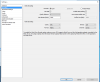
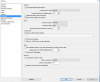
1) The twitch channel window with my stream and chat freezes while I stream for a while and I have to refresh it to reload it while I'm playing. I think its called buffering but correct me if I'm wrong. Also the delay is 5-20 sec somethimes
Just not sure what's wrong
I Stream Heroes and Generals
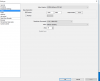
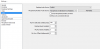
2) The other problem is my voice is drowned out by the game sounds and the mic isn't strong enough over the game sounds. Could be its a crappy head set not sure.
I also get echo coming through the screen capture window 2-3 times.
Also using window capture as the game capture doesn't work for Heroes and Generals.
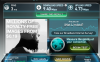
Is my upload speed good enough?
Specs
i7-6700
Asus H170 PRO Gaming Mother board
16.00 GB Ram
GTX 960 4G G1 Gaming
Windows 10
Logitech c920 HD Pro Web Cam
Turtle Beach Pla head set (Xbox and PC)
I have just started streaming but have a couple of problems
1) The twitch channel window with my stream and chat freezes while I stream for a while and I have to refresh it to reload it while I'm playing. I think its called buffering but correct me if I'm wrong. Also the delay is 5-20 sec somethimes
Just not sure what's wrong
I Stream Heroes and Generals
2) The other problem is my voice is drowned out by the game sounds and the mic isn't strong enough over the game sounds. Could be its a crappy head set not sure.
I also get echo coming through the screen capture window 2-3 times.
Also using window capture as the game capture doesn't work for Heroes and Generals.
Is my upload speed good enough?
Specs
i7-6700
Asus H170 PRO Gaming Mother board
16.00 GB Ram
GTX 960 4G G1 Gaming
Windows 10
Logitech c920 HD Pro Web Cam
Turtle Beach Pla head set (Xbox and PC)