

You are using an out of date browser. It may not display this or other websites correctly.
You should upgrade or use an alternative browser.
You should upgrade or use an alternative browser.
Question / Help My mic audio sounds like it's submurged underwater when coupled with desktop audio.
- Thread starter xDeadlyx
- Start date
Hi,
Do both sound sources, the microphone and desktop, sound good separately?
Are you singing on the mic, along with music that is playing on the desktop
OR
Are you talking on the mic, while a soundtrack plays in the background?
If singing to music, a first guess is that the mic and desktop sound are not in sync.
Go to Edit, Advanced Audio Properties, and try delaying the mic or desktop sound to get them in sync.
Start with 20 millisecond increments to rough in the delay and see what sounds better, then
smaller increments to get it as good as possible.
This is also where you can delay audio(or occasionally video) to get image/sound sync.
Or you may have some completely different issue...
Thanks and good health, Weogo
Do both sound sources, the microphone and desktop, sound good separately?
Are you singing on the mic, along with music that is playing on the desktop
OR
Are you talking on the mic, while a soundtrack plays in the background?
If singing to music, a first guess is that the mic and desktop sound are not in sync.
Go to Edit, Advanced Audio Properties, and try delaying the mic or desktop sound to get them in sync.
Start with 20 millisecond increments to rough in the delay and see what sounds better, then
smaller increments to get it as good as possible.
This is also where you can delay audio(or occasionally video) to get image/sound sync.
Or you may have some completely different issue...
Thanks and good health, Weogo

FerretBomb
Active Member
Can I ask why you are using FFMPEG output? Generally it is VERY easy to run into problems unless you are experienced with ffmpeg both with video and audio. If you are following a 'best settings guide', please don't... most of them are full of absolutely terrible, if not outright harmful advice.
Unless you have a specific need, I would STRONGLY recommend switching to NVENC (if supported by your nVidia 940MX) or x264, preferably with Simple mode output, Recording Quality set to Indistinguishable, and the encoder set to NVENC, even just temporarily to test if the audio issue persists.
Unless you have a specific need, I would STRONGLY recommend switching to NVENC (if supported by your nVidia 940MX) or x264, preferably with Simple mode output, Recording Quality set to Indistinguishable, and the encoder set to NVENC, even just temporarily to test if the audio issue persists.
1. I was primarily talking into the mic, would this make your suggestions irrelevant or not Weogo?
2. FerretBomb, I do believe that my encoders are set to x264 as I do not seem to have access to NVENC :(. In addition to this, my recording type is set to standard so it doesn't seem that I should be using FFMPEG. If i'm missing any settings please let me know! (I've only just started trying to use OBS) I did install one piece of third party software for obs which may be causing problems (although I doubt it would as I don't use it as of now).
To elaborate more on the issues that I'm having with obs, My mic sounds submerged underwater--as I've said before--but, my desktop audio can also cut in and out from the video reappearing as if nothing had happened twenty minutes after it's disappearance. The video occasionally gets distorted and turns to a green mess for a couple of seconds before returning to normal. At this point, Video, mic audio and desktop audio can be 'good' but most of the time they are just awful all around (with the exception of video, it only has some occasional major hiccups)
2. FerretBomb, I do believe that my encoders are set to x264 as I do not seem to have access to NVENC :(. In addition to this, my recording type is set to standard so it doesn't seem that I should be using FFMPEG. If i'm missing any settings please let me know! (I've only just started trying to use OBS) I did install one piece of third party software for obs which may be causing problems (although I doubt it would as I don't use it as of now).
To elaborate more on the issues that I'm having with obs, My mic sounds submerged underwater--as I've said before--but, my desktop audio can also cut in and out from the video reappearing as if nothing had happened twenty minutes after it's disappearance. The video occasionally gets distorted and turns to a green mess for a couple of seconds before returning to normal. At this point, Video, mic audio and desktop audio can be 'good' but most of the time they are just awful all around (with the exception of video, it only has some occasional major hiccups)
Hi xDx,
I'm new to OBS, but have been doing live audio production for thirty years.
The process of elimination ~ simplifying systems as much as possible and trying possible variations,
may be a helpful approach.
Otherwise am out of ideas to help you, but Ferret is pretty knowledgeable.
I'll be following along, more to learn than anything else.
Thanks and good health, Weogo
I'm new to OBS, but have been doing live audio production for thirty years.
The process of elimination ~ simplifying systems as much as possible and trying possible variations,
may be a helpful approach.
Otherwise am out of ideas to help you, but Ferret is pretty knowledgeable.
I'll be following along, more to learn than anything else.
Thanks and good health, Weogo

carlmmii
Active Member
I'm rather confused by the logs here...
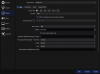
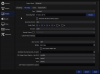
Your mic is getting initialized 3 times, but you only have the 'Mic/Aux' source involved in scenes.... do you by chance have your mic added in OBS settings -> Audio as well? Possibly twice?
Code:
20:39:47.582: ------------------------------------------------
20:39:47.666: WASAPI: Device 'Speakers (Realtek High Definition Audio)' [48000 Hz] initialized
20:39:47.728: WASAPI: Device 'Microphone (Realtek High Definition Audio)' [48000 Hz] initialized
20:39:47.751: WASAPI: Device 'Microphone (Realtek High Definition Audio)' [48000 Hz] initialized
20:39:47.767: WASAPI: Device 'Microphone (Realtek High Definition Audio)' [48000 Hz] initialized
20:39:48.028: [window-capture: 'Window Capture'] update settings:
20:39:48.028:     executable: brave.exe
20:39:48.032: Switched to scene 'Battle Block Theater Scene'
20:39:48.033: ------------------------------------------------
20:39:48.033: Loaded scenes:
20:39:48.033: - scene 'Test Scene 1':
20:39:48.033:     - source: 'Mic/Aux' (wasapi_input_capture)
20:39:48.033:     - source: 'Desktop Audio' (wasapi_output_capture)
20:39:48.033:     - source: 'Minecraft' (game_capture)
20:39:48.033: - scene 'Scene':
20:39:48.033:     - source: 'Window Capture' (window_capture)
20:39:48.033: - scene 'Battle Block Theater Scene':
20:39:48.033:     - source: 'Battle Block Theater' (game_capture)
20:39:48.033:     - source: 'Mic/Aux' (wasapi_input_capture)
20:39:48.033:     - source: 'Desktop Audio' (wasapi_output_capture)