Multiple audio tracks not working right (One is always left out)

2manyProblems

New Member
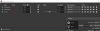
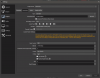
When making videos i like to separate the game sound and mic sound to make it easy to edit later. The problem is when I'm done recording only the game sound or my mic sound appears in the final cut and it feels random. If anyone can offer suggestions or a solution it would be very appreciated.
 

Attachments

  • Screenshot (15).png
    Screenshot (15).png
    53.4 KB · Views: 27
  • Screenshot (16).png
    Screenshot (16).png
    33.4 KB · Views: 29
How are you checking that the audio tracks aren't getting recorded?

I stop the video and play it back and either the game sound is missing or my voice is. So i check by reviewing the video. I don't know why it's bad to have it saved as an mp4 but I haven't had any other problems with it. I tried using what it recommended (MKV) and that still didn't fix my issue. When i put the file in my video editor only one audio track comes up so it's a problem that happens when creating the file.
 
If you open the video in VLC, does the Audio tracks menu in the audio menu show all your audio tracks?
 
If you open the video in VLC, does the Audio tracks menu in the audio menu show all your audio tracks?

Thank you, I thought that since it wasn't playing both tracks that it was getting left out but you made me relize that one of them just wasn't playing.
 

Attachments

  • Screenshot (17).png
    Screenshot (17).png
    5.5 KB · Views: 22
Only one track being played is normal because media players treat these video files like DVDs where you do not want twelve different languages talking over each other.
 
Back
Top