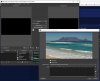
I have an MP4 video that runs every time in Windows Films & TV, VLC, Winamp and Windows Media Player without issues. I have set it up in OBS as a "VLC Video Source" and clicked on the "eye" icon to make it visible. When I highlight it in 'Sources' the play controls open and the slider begins moving from left to right and the up/down timers start counting, but nothing appears in the Preview or Program windows (or Studio Mode). If I double-click on the VLC source item (or open its Properties) then the video is running and visible in the "Properties for VLC" window, but nowhere else. So OBS reads and decodes the file and plays it out properly, but only in the "Properties for VLC" window, If I enable VirtualCam and connect to Zoom, I can play all my other Sources, but that video will not "play" or broadcast to Zoom. Thanks in advance for your assistance with this issue.
My log file: https://obsproject.com/logs/DCdxaaBeZTjzUOwH
Screen grab attached.
My log file: https://obsproject.com/logs/DCdxaaBeZTjzUOwH
Screen grab attached.