EricW_CG
New Member
It's has been working off and on for as long as I can remember. The other day it was working fine for hours and then it stopped working next day. Nothing has been changed. I've tried shutting everything down besides OBS to find a conflict with other software, I've tried turning off and on exclusive mode in recording, mic settings. I've tried generic sound drivers and reinstalled SoundMax drivers. OBS is the only thing affected. Skype, steam, teamspeak all work for hours of use and no problems. Audacity, fraps and bandicam all are able to capture my microphone fine. I've tried the rear and the front mic jack.
The only thing that seems like it could be the problem is the audio timestamp issue.
I get this repeated with the behind target timestamp going up by 10 each time. If I let it record or stream for a while sometimes it'll only show 5-10 sometimes a lot but neither will ever give me my mic back. Nothing I've found on the forums has helped. I've tried adjusting the Mic Sync Offset and I've tried Force desktop audio to use video timestamps as a base and Use Mic QPC timestamps.
19:35:56: Audio timestamp for device 'Microphone (SoundMAX Integrated Digital HD Audio)' was behind target timestamp by 80
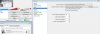
Here's the entire log and a picture of my microphone settings showing it is hearing audio while OBS can't bring it in.
https://gist.github.com/fbc5782c1f972fa059db
The only thing that seems like it could be the problem is the audio timestamp issue.
I get this repeated with the behind target timestamp going up by 10 each time. If I let it record or stream for a while sometimes it'll only show 5-10 sometimes a lot but neither will ever give me my mic back. Nothing I've found on the forums has helped. I've tried adjusting the Mic Sync Offset and I've tried Force desktop audio to use video timestamps as a base and Use Mic QPC timestamps.
19:35:56: Audio timestamp for device 'Microphone (SoundMAX Integrated Digital HD Audio)' was behind target timestamp by 80
Here's the entire log and a picture of my microphone settings showing it is hearing audio while OBS can't bring it in.
https://gist.github.com/fbc5782c1f972fa059db