Low Bitrate Problems

Skyrdow

New Member
I am sorry for my bad english, but i have 40-60% dropped frames, but my internet connection is wired (https://www.speedtest.net/result/9856782284), and works well with everithing else, i tried disabling the windows firewall, dynamic bitrate, looked in twitch bandwith test and using the server with max quality for me, i dont know what to do now

 

Attachments

  • 2020-08-03 16-27-36.txt
    2020-08-03 16-27-36.txt
    14.8 KB · Views: 117
  • Screenshot_110.png
    Screenshot_110.png
    1.5 KB · Views: 130
actually i am on ver. 2004 and the "Enable network optimizations" option is turned on. also activating the dynamic bitrate doesnt solve the problem, my bitrate shouldnt be so low and unstable
 

Attachments

  • Screenshot_113.png
    Screenshot_113.png
    10.3 KB · Views: 148
Your log shows:
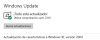
20:15:26.508: Windows Version: 10.0 Build 18362 (release: 1903; revision: 959; 64-bit)

Post a new log or use log analyzer.
 
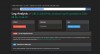
so, just updated windows 2004. there is a log of a stream with windows 2004, also a capture of the log analyzer (and thanks for the help)
 

Attachments

OBS can't solve your network issues but it can work with them. This is what "Dynamically change bitrate..." does. Use that until you can resolve your network issue and it will return to the desired bitrate. See

Check your router for firmware updates and QoS settings.
 
I’m having a problem similar to Skyrdow. I was streaming on twitch perfectly fine until yesterday when bitrate started hitting 0kbps unlike the regular 3000-4000 I’m used to. The only thing odd was a windows update.

After uninstalling recent windows update there is still no improvement.

Is this possibly an internet service provider problem??
 
Back
Top