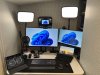
I own a Logitech 4K Brio, and a Windows 10 PC, which I use with MS Meetings or Zoom. Is it possible to adjust the Brio lens so that it shows me looking directly at the camera? Right now my Brio is mounted on the top edge of my monitor (which is large so that the camera is sitting above the level of the top of my head as I look at the monitor) Try as I might, I can't position the camera so that if I look at my screen, I appear to be gazing slightly upward. Maybe I should be using a smaller monitor? I've also tried mounting the camera on a small tripod which is on my desk in front of the monitor, but this doesn't seem to work.
Thanks for your suggestions!
Thanks for your suggestions!