cameramonkey
New Member
We tried streaming with a Logitech 922. If we set it to defaults, we get full view (actually 90%), but the resolution is horrid. This is supposedly a 1080p camera.
If I change it to custom the video looks awesome in the preview, but I can see the canvas view behind it that the video is zoomed in and still as grainy as the default.
Everything works fine and is gorgeous with a borrowed Brio 4k camera, but in hindsight I'm not sure we should have to go to a 4k camera just to get it to run 1080. I'm hoping we can figured out without having to toss out our 922 and buy yet another camera. There HAS to be a setting I am missing.
Anyone know how to get this to actually run as expected? I;ve also adjusted the canvas resolution, and no joy.
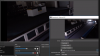
Example of the insane zoom. Note the preview is perfect, crystal clear and FOV is 100% of expected. Canvas not so much. It is zoomed WAY in.

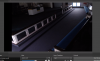
Here is the default settings. Notice the still the grainy canvas, and the FOV is only about 90%

And when we stream the 922 to facebook its atrocious. No detail beyond 10' from the camera. I test streamed the brio tonight with the same settings and it was gorgeous and actually LOOKED like HD. (not 420p we were getting with no changes to bitrate, etc) local recordings of the 922 are equally bad, so I think its an OBS setting ive missed.
If I change it to custom the video looks awesome in the preview, but I can see the canvas view behind it that the video is zoomed in and still as grainy as the default.
Everything works fine and is gorgeous with a borrowed Brio 4k camera, but in hindsight I'm not sure we should have to go to a 4k camera just to get it to run 1080. I'm hoping we can figured out without having to toss out our 922 and buy yet another camera. There HAS to be a setting I am missing.
Anyone know how to get this to actually run as expected? I;ve also adjusted the canvas resolution, and no joy.
Example of the insane zoom. Note the preview is perfect, crystal clear and FOV is 100% of expected. Canvas not so much. It is zoomed WAY in.
Here is the default settings. Notice the still the grainy canvas, and the FOV is only about 90%
And when we stream the 922 to facebook its atrocious. No detail beyond 10' from the camera. I test streamed the brio tonight with the same settings and it was gorgeous and actually LOOKED like HD. (not 420p we were getting with no changes to bitrate, etc) local recordings of the 922 are equally bad, so I think its an OBS setting ive missed.