Hello
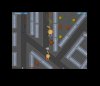
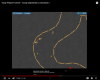
I'm fairly new to the OBS, especially when it comes to streaming. I tried to make one stream on YT and after finishing it, urns out the screen was a tad bit too small for people to watch. It also seemed to randomly lag. The output resolution is calibrated for my monitor, so what seems to be the problem?
I'm fairly new to the OBS, especially when it comes to streaming. I tried to make one stream on YT and after finishing it, urns out the screen was a tad bit too small for people to watch. It also seemed to randomly lag. The output resolution is calibrated for my monitor, so what seems to be the problem?