Just_A_Dragon
Member
Ok so I really really REALLY want to record videos of my game to Youtube(its been a dream for 3 years now,not successful yet :( .....).
I get quite a bit of lag and the recording is a bit blurry
I havent been able to fix this yet and have gone through *tonnes* of tutorials.
My PC is a Dell Inspiron 15 series 3000 with Windows 8.1 installed on it and it is x64 bit
Im not sure which details you need so heres a link to the specs(scroll down for the specifics): https://laptoping.com/specs/product/dell-inspiron-15-3000-3542/
Heres the log from my obs program(its the latest ver. I got it from the obs original website 2-3 days ago) : https://hastebin.com/ukunijevid
About the game, its called YGOpro percy 1.034.0 if you want to see it (its one of the lightest games ever,trust me)
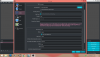
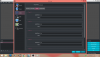
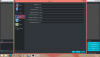
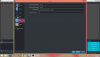
My settings are as follows(if you want to see the "general" settings then just let me know,I just think it's unnecessary):-
Replay Buffer is OFF
I get quite a bit of lag and the recording is a bit blurry
I havent been able to fix this yet and have gone through *tonnes* of tutorials.
My PC is a Dell Inspiron 15 series 3000 with Windows 8.1 installed on it and it is x64 bit
Im not sure which details you need so heres a link to the specs(scroll down for the specifics): https://laptoping.com/specs/product/dell-inspiron-15-3000-3542/
Heres the log from my obs program(its the latest ver. I got it from the obs original website 2-3 days ago) : https://hastebin.com/ukunijevid
About the game, its called YGOpro percy 1.034.0 if you want to see it (its one of the lightest games ever,trust me)
My settings are as follows(if you want to see the "general" settings then just let me know,I just think it's unnecessary):-
Replay Buffer is OFF