
Is there a reset to default?

EvelynUnlimited

New Member
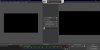
Clicking through all things clickable on the interface so that I could quickly learn some of the basic functionality of the software, I somehow managed to duplicate yy screen image on the canvas. In effect giving me two pictures of me.
#2. I placed the "transition" control on the screen, but can't remove it. Please help!
 

Attachments

  • Screenshot 2021-09-21 200645.jpg
    Screenshot 2021-09-21 200645.jpg
    105.8 KB · Views: 189
  • Screenshot 2021-09-21 200355.jpg
    Screenshot 2021-09-21 200355.jpg
    271.2 KB · Views: 146
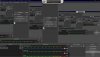
Heya! You are in "Studio Mode" at the moment. This allows you to make changes 'off-camera' in the Preview window before actually showing them live on the stream/recording Program window by hitting 'transition'.

If you want to go back to a single window (normal mode) just click the Studio Mode button in the bottom-right again. :)

OBS showing up in the capture is because you're using a Display Capture, and capturing the display that OBS is on. Just like a camera pointing at a TV showing what the camera sees, it results in a 'hall of mirrors' called the Droste Effect. Expected and running normally.
 
Clicking through all things clickable on the interface so that I could quickly learn some of the basic functionality of the software, I somehow managed to duplicate yy screen image on the canvas. In effect giving me two pictures of me.
#2. I placed the "transition" control on the screen, but can't remove it. Please help!
HELLO AND THANK YOU SO VERY MUCH!! I clicked everything! I appreciate your help!! Do you have a source that I can use to take a deep dive into usage and functionality of this app that I can use to develop my knowledge base on it, so that I can learn it fairly quickly? It seems like it is EXACTLY what I need and believe me I have tried A LOT OF RECORDING APPS, this is the best by far! I just need to learn what does what. Thanks again!
 
Back
Top