
Inestable bitrate and dropped frames

HeikkiPlay

New Member
Hi, my CPU is an i5 4460, and my GPU is the RX570 8GB, and when i try streaming with obs, and many others software, the bitrate is very inestable, the frames drop insanely, even if i stream in 1920x1080 or 1280x720. I don't know if this is a problem of my internet conection or the encoder of AMD. If you know any solutions, i would be very grateful.

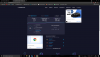
This is a picture of a speedtest of my connection
 

Attachments

  • Sin título.png
    Sin título.png
    278.4 KB · Views: 81
The easiest fix is to enable dynamic bitrate in the advanced settings. This *should* prevent dropped frames. However you should always
 
Hi, I tried enabling dynamic bitrate but I still get the same result, very unstable bitrate and frame drops. I thought it was my upload speed, because sometimes it is also unstable, but when I stream, I do a speed test and the upload speed is 30mbps, the bitrate is still unstable, so I don't think it's an ISP problem, but I'm not entirely sure. I will try to contact my ISP so that they can solve the instability of the upload speed.

Here is the last log of OBS.
 

Attachments

1. Your gigabit-capable network card is only connecting at 100mbps. This may indicate a bad network cable or outdated router / switch which could be impacting network performance. If it's a 100mbps switch, that should be fine as long there's not a lot of other network traffic. Just make sure it's not the cable.
2. Run OBS as Admin. Right click on the shortcut, properties, advanced, check box, ok, apply, ok.
3. Dynamic Bitrate is not enabled. If it was, your log would contain the following:
[rtmp stream: 'adv_stream'] Dynamic bitrate enabled. Dropped frames begone!
In OBS, go to Settings, Advanced, Network, check the box for "Dynamically change bitrate...", [Apply], [OK]. Do this before you start streaming.
4. Display and Game Capture Sources interfere with each other. Never put them in the same scene (Juegos).
 
Hello, as you said, run OBS as administrator, remove the source of capturing screen from the Games scene, only the game capture and my webcam remain. Also enable the dynamic bitrate option in the options and nothing, the stream is still fatal. I still think that it is because the encoder of the AMD GPUs malfunctions with OBS. Nor do I think it is network traffic, since I tested it without anyone in my house using the internet.

Here is the log of the last transmission of approximately 2 minutes, it was only a test.
 

Attachments

I can't find any reports of the AMD encoder having issues with Dynamic Bitrate. Your log still doesn't show the line when it's enabled.
To test this, try use the x264 encoder with the same settings.
Also, since you are using Twitch, use the TwitchTest to make sure you're using the best server.
 
Back
Top