


pimseb
New Member
Hello,
I'm trying to send the stream to an icecast server.
I've set up my recording output like this screen :
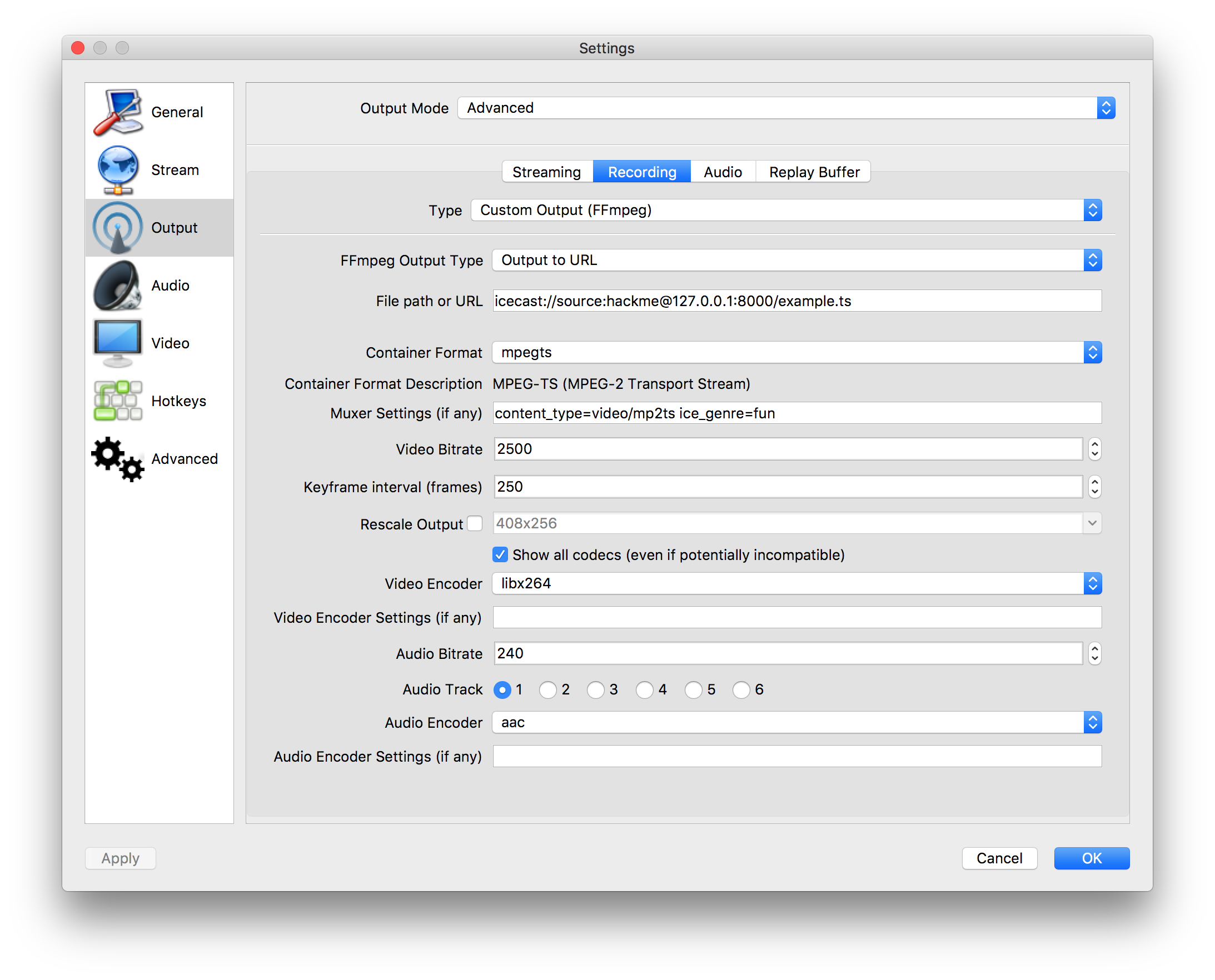
Everything works fine with these settings, but I'd like to stream audio ONLY to my icecast server (no video).
I've tried almost all settings (aac, ogg, changing content_type to audio/aac or audio/ogg, ...) and nothing works. When I disable the video encoder, nothing is sent to the icecast server (no video of course but no audio aswell).
The log isnt relevant
Anyone can help ?
I'm trying to send the stream to an icecast server.
I've set up my recording output like this screen :
Everything works fine with these settings, but I'd like to stream audio ONLY to my icecast server (no video).
I've tried almost all settings (aac, ogg, changing content_type to audio/aac or audio/ogg, ...) and nothing works. When I disable the video encoder, nothing is sent to the icecast server (no video of course but no audio aswell).
The log isnt relevant
Anyone can help ?
