Question / Help I444 color seperation

RichPressence

New Member
Hey, ive been trying to record with obs mp using (I444 - 709 - partial) as its the most lossless
I can record at 60 fps local. However it seems to shift the red and green channels heavily, when ive looked at other I444 footage I can't notice the shifting.

Is this a I444 side effect or something wrong going on with the encoding?

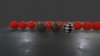
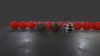
Included an image of the problem, you can see red lines down the side to the left which seem to be from the other side of the screen.
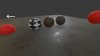
 

Attachments

  • problem.jpg
    problem.jpg
    187.9 KB · Views: 221
  • 2015-10-29 17-46-00.txt
    2015-10-29 17-46-00.txt
    55.5 KB · Views: 80
Well I can't figure out if that's a bug in obs or the video player, I'd be more inclined to believe it's possibly the former, but would like to know what video player you're using. Which video player?

I'll do some testing on my end to see if I can verify.
 
Did some tests and if I set the output scaled resolution to be less than 1080p the problem disappears completely. Also if set my desktop resolution to be anything other than 1080p and then record at that res the problem is also gone, rather strange. So 1080p I444 problem or maybe something wrong with my gpu?
 

Attachments

  • 1536x864.jpg
    1536x864.jpg
    122.6 KB · Views: 134
  • 1920x1080.jpg
    1920x1080.jpg
    181.5 KB · Views: 133
When I was trying out a i444 output, I found 2 problems when digging into its source code of OBS studio.

The first problem is some gpu conversions, including "PSPlanar444", uses a float number which can go too big on high resolution, especially at 4k resolution. It appears to multiply width by height, causing huge numbers. Float loses accuracy on big numbers and causes too inaccurate calculations.

GPU colorspace conversion is found in data/libobs/format_conversion.effect

The second problem is OBS is still feeding NV12 to x264, a color format with low color resolution. It might be converting to I444, then converts back using "PSPlanar444", then converts to NV12. MediaInfo shows as only "high" profile which most video players can play.

Heres something only developers can fix. In "obs-x264.c" in function "obs_x264_video_info", when I change a line to "pref_format = info->format;", it then allow x264 to receive and compress I444 data. Might also need custom x264 settings profile=high444. This then allows full color resolution with MediaInfo showing "High 4:4:4 Predictive".
 
I am able to create 4k *.mp4 videos with i444 color space by using the internal x264 encoder, choosing x264. In the advanced settings: i444 as color format, 709 as YUV color space, Full as YUV color range. MediaInfo shows:
Code:
Video
ID  : 1
Format  : AVC
Format/Info  : Advanced Video Codec
Format profile  : High 4:4:4 Predictive@L5.1
Format settings, CABAC  : No
Format settings, ReFrames  : 1 frame
Format settings, GOP  : M=1, N=20
Codec ID  : avc1
Codec ID/Info  : Advanced Video Coding
Duration  : 32mn 2s
Bit rate  : 142 Mbps
Width  : 3 840 pixels
Height  : 2 400 pixels
Display aspect ratio  : 16:10
Frame rate mode  : Constant
Frame rate  : 10.000 fps
Color space  : YUV
Chroma subsampling  : 4:4:4

Howerver, this works only with the internal x264 encoder. If I switch the encoder to Nvidia NVENC (Media Foundation), all other settings unchanged, the resulting video is back to 4:2:0 according to media info.
 
So I was looking into this as well to try to make OBS work as a replacement for FRAPS without chewing on the HDD. The color separation is still an issue in the latest versions.

I grabbed the source to try and find it myself and narrowed it down to the calc_gpu_conversion_sizes function, commenting out the i444 case fixes it without any side effects that I could tell from testing with x264.

The output is pretty much 1:1 with a screenshot now at low CRF ultrafast, it actually works better than FRAPS which is 4:2:0 other than finding something that can actually edit the videos.
 
Back
Top