
I Will Record Once and Only Once - Thats it!

Quite-by

New Member
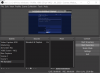
Software will start okay. Then record a screen can be started. The stopped. After that pressing start again, highlights the Start Recording bar - see picture, but nothing happens. no video is captured. Stopping the software doesn't help - this because a service continues running in the background - therefore the software doesn't actually close properly. Trying to restart the software brings up a screen saying that OBS is already running. Pressing Launch anyway, allows the process to repeat again.

Have tried uninstalling and reinstalling and uninstalling in Windows Safe mode. No change.

Forcing The OBS service to stop allows the software to be restarted with the same problem reemerging.

OBS was working fine for a couple of years before this.

Previous log

Current Log
 

Attachments

  • OBS PROBLEM Screenshot 2021-09-17 153510.png
    OBS PROBLEM Screenshot 2021-09-17 153510.png
    91.9 KB · Views: 31
Have you tried updating to the latest version? You appear to be on 23.1.0, which is quite old. The current version is 27.0.1.
Likewise, you are on an extremely old version of Windows 10. Recommend updating at least to the v2004 release.
Additionally, OBS does not add any System Services, if you mean the ones listed in services.msc.
We can't really provide assistance with outdated versions, using them is at-your-own-risk.

Additionally, you should NEVER RECORD TO MP4 DIRECTLY WITH OBS, FOR ANY REASON. Record to MKV if you need multi-channel audio, and remux to MP4 after the recording has completed, from OBS' File menu, Remux Recordings. MP4 is NOT a recording-safe format, and can cause a LARGE number of issues.
 
Obviously I went back to the old version because the old version worked well.

What do you recommend? I can get it to work by forcing a restart everytime, but this problem started with v27, persisted with v26 and hasn't resolved when I returned to V23 which is the oldest I could fine stored on my system. The MKV / MP4 thing isn't really helping things either it continues regardless of the format and downgrading to older version of windows hasn't been beneficial so I am pretty certain restoring the newer version won't assist.

As I said it worked fine for about 2 years and during that time I used both MKV and MP4 and even MOV. This issue seems to have started with the upgrade to v27.

Is there any way of nuking the installation and removing every trace so I can reinstall. It seems to remember settings even after I uninstalled in safe mode? I was able to get Captura working again by uninstalling it. It retained user settings, but worked fine after reinstalling, but with OBS perhaps something persists even after uninstalling which is prolonging the fault. Any firm suggestions?
 
The settings folder can be found within OBS Studio: File, Show Settings Folder
I don't know if OBS 23 already has that option, it's probably something like C:\Users\WBE\AppData\Roaming\obs-studio

I don't know for sure whether or not this folder will be deleted upon uninstallment. But I won't be surprised if it is not deleted, since the three OBS side by side installations on my laptop all use that same folder.
 
Obviously I went back to the old version because the old version worked well.
Nothing in your post made that obvious.

Yes, the settings file is in %APPDATA%\obs-studio and is not deleted on uninstall. Deleting that folder will reset everything to a first-run state.
 
Back
Top