

You are using an out of date browser. It may not display this or other websites correctly.
You should upgrade or use an alternative browser.
You should upgrade or use an alternative browser.
I can Hear mic only when is activated his "monitor and output"
- Thread starter Ronin5k
- Start date
lebaston100
Member
And? This is expected behaviour. As you can see the mic always has Level. Enabling the Audio Monitoring will output that source to the configured Audio Output. And if this Output is captured by the Audio Output Capture it will show up there. As a result your stream will hear double Audio because it's coming over the Mic Capture and the Audio Output Capture .

Ronin5k
New Member
The problem is that i cannot hear me without the "echo" so i cannot register my voice....And? This is expected behaviour. As you can see the mic always has Level. Enabling the Audio Monitoring will output that source to the configured Audio Output. And if this Output is captured by the Audio Output Capture it will show up there. As a result your stream will hear double Audio because it's coming over the Mic Capture and the Audio Output Capture .
The mic is registered only when is activated his Monitor and output
lebaston100
Member
If you want to hear yourself in your headphones then you have to mute the Audio Output Capture in obs or use the direct monitoring setting on your audio interface if it has one. The mic is going out fine to the stream even without you hearing it.

Ronin5k
New Member
If you want to hear yourself in your headphones then you have to mute the Audio Output Capture in obs or use the direct monitoring setting on your audio interface if it has one. The mic is going out fine to the stream even without you hearing it.
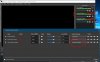
View attachment 69128
I don't know why u don't understand me...
my audio is always muted ....
I don't want to hear me .. i want to register an audio where i can hear me without the echo and seems that is not possible.
I can hear my voice only if the sound of the mic pass between the echo activated and arive at desktop and after at the audio output, so if i stop the echo, the mic became muted...
I hope now u understand me
Ronin5k
New Member
If you want to hear yourself in your headphones then you have to mute the Audio Output Capture in obs or use the direct monitoring setting on your audio interface if it has one. The mic is going out fine to the stream even without you hearing it.
View attachment 69128
Thank you for your interest.
I am also pleased to inform you that the problem has been resolved. The windows 10 default video player did not detect the audio tracks produced. (possibly a codec problem). Reading the video with vlc all is working normally
Thanks anyway for your suggestions
immigration expert
New Member
are you able to broadcast your voice to other program without having to monintor it , which will lead to feedback ? can you just output mic without monitoring?Thank you for your interest.
I am also pleased to inform you that the problem has been resolved. The windows 10 default video player did not detect the audio tracks produced. (possibly a codec problem). Reading the video with vlc all is working normally
Thanks anyway for your suggestions
No. There is one non-streaming output from OBS, and that's the Monitor.are you able to broadcast your voice to other program without having to monintor it , which will lead to feedback ? can you just output mic without monitoring?
OBS is not meant to feed other apps. It's meant to stream directly, and the Monitor is like the headphone output of a professional console: it's for the producer only.
That said, I do have a rig that uses OBS's Monitor to feed a DAW (Digital Audio Workstation: a dedicated, purpose-built app, just for sound), and that's only because that instance of OBS is playing videos. All of the audio work in that rig is done by the DAW, not OBS, and OBS's Monitor is simply a way to get the video soundtracks into the DAW. The mics go directly to the DAW, not OBS, and all of the different destinations are fed separately with different content from the DAW, not from OBS.