Question / Help Huge file sizes

bruhslav123

New Member
I record in 1080p60 on reasonable settings and my file size for a 52 seconds recording is 1.7G. I tried everything and the only solution I found was to put lower bitrate which made my recording disgusting. I have an i7-9700k and a 2070 super I don't know if that affects it.
 

Attachments

  • screenshot 1.JPG
    screenshot 1.JPG
    85.4 KB · Views: 26
  • screenshot 2.JPG
    screenshot 2.JPG
    43.2 KB · Views: 29
  • screenshot 3.JPG
    screenshot 3.JPG
    72.6 KB · Views: 23
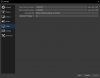
In "screenshot 1", you have "Rate Control" set to "Lossless". This means there is zero compression, causing ridiculously large files.

For high-quality, no fuss recordings, use the recording quality presets.

1) Under Settings > Output, set the mode to Simple output.
2) In the recording section, change the Recording Quality to Indistinguishable Quality
3) Select your encoder. We recommend a hardware encoder if it is available.
 
In "screenshot 1", you have "Rate Control" set to "Lossless". This means there is zero compression, causing ridiculously large files.

For high-quality, no fuss recordings, use the recording quality presets.

1) Under Settings > Output, set the mode to Simple output.
2) In the recording section, change the Recording Quality to Indistinguishable Quality
3) Select your encoder. We recommend a hardware encoder if it is available.

Thank you, I put Lossless because a friend of mine had it set to that and he had way smaller file sizes but I think he might have put it for streaming.
 
Back
Top