

Hi all, kind of new to OBS. Using it mainly to record, and I've figured out the basics of how to do it. One thing I'm not sure about, though. I'm trying record scenes from FF7 Remake, and they record fine. But the quality isn't the the same as seeing it on the actual PS4. Here are the settings I'm using in OBS:
Settings:
Encoder: NVidia NVENC (new)
Rate Control: Lossless
Preset: Max Quality
Proifle: High
Color Format: NV12
Color Space: 709
Source Properties:
Video Format: YV12
Color Space: 709
Color Range: Full
When I capture from OBS, certain lighting areas show up as staggered gradients/banding instead of being smooth. Here's a sample to show what I mean:

Look at the wall on the right side, particularly toward the bottom, and you'll see it. And here's a snapshot of the same scene taken with the PS4's own screen capture function in PNG format:
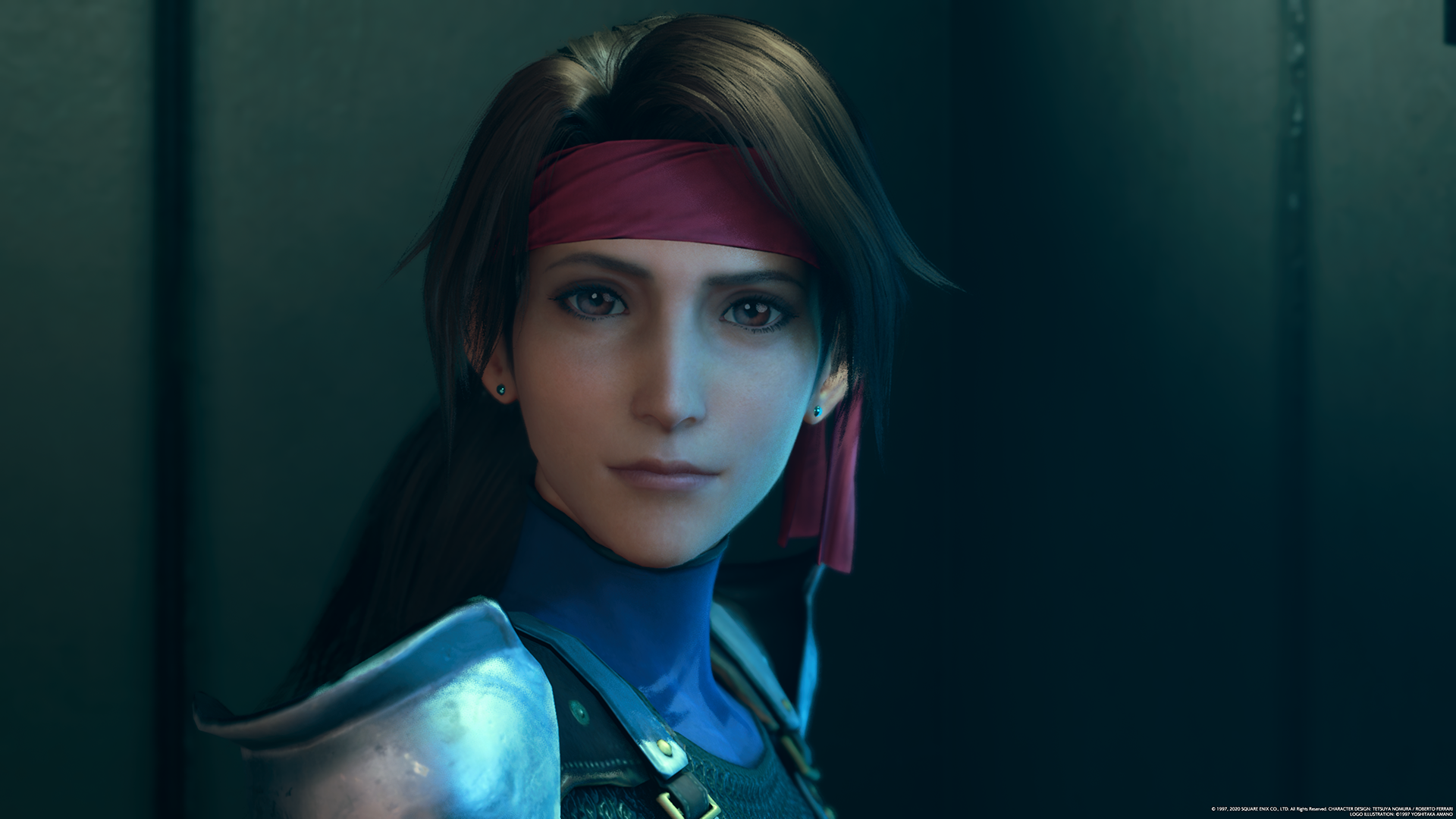
Here, everything's smooth and as it should be. If I fix the colors by switching from Full to Partial, that takes care of the colors, but it makes the banding/bad gradients worse. What I wonder is if there's any way to make the capture from OBS look just like seeing it natively on the PS4 with no artifacting, banding, or whatever. I have a powerful machine, so I don't care how high the settings might need to go, this isn't for streaming. Thanks for any help you guys can give me, it's much appreciated.
Settings:
Encoder: NVidia NVENC (new)
Rate Control: Lossless
Preset: Max Quality
Proifle: High
Color Format: NV12
Color Space: 709
Source Properties:
Video Format: YV12
Color Space: 709
Color Range: Full
When I capture from OBS, certain lighting areas show up as staggered gradients/banding instead of being smooth. Here's a sample to show what I mean:
Look at the wall on the right side, particularly toward the bottom, and you'll see it. And here's a snapshot of the same scene taken with the PS4's own screen capture function in PNG format:
Here, everything's smooth and as it should be. If I fix the colors by switching from Full to Partial, that takes care of the colors, but it makes the banding/bad gradients worse. What I wonder is if there's any way to make the capture from OBS look just like seeing it natively on the PS4 with no artifacting, banding, or whatever. I have a powerful machine, so I don't care how high the settings might need to go, this isn't for streaming. Thanks for any help you guys can give me, it's much appreciated.