You are using an out of date browser. It may not display this or other websites correctly.
You should upgrade or use an alternative browser.
You should upgrade or use an alternative browser.
How to record videos -RANK beginner
- Thread starter wineman
- Start date

PaiSand
Active Member
You may want to start here: https://obsproject.com/kb/quick-start-guide
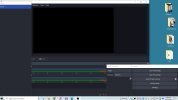
Thank you and I will work on it. Meanwhile - the OBS takes up my whole computer screen and I cant find a way to turn it off or go back to something else. The only thing I can do is do is the "three fingered salute" and end the task. No "close" button?? No way to minimize it ?