
Question / Help Help with obs settings?/High cpu usage

Mizol

New Member
Hi can anyone help me figure out my best settings to run obs. Sometimes it will tell me "high encoding/high cpu usage consider turning down settings"
I have used the settings estimator and I have had those settings.
I have a:
Intel Core i5 4440 @ 3.10GHz Haswell 22nm Technology
NVIDIA GeForce GTX 750 Ti
my upload speed is 12000 kbps

My current settings are:
1280/720
my resolution downscale is 1.50 (852x480)
FPS 30

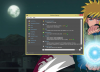
I included a screenshot of my current pc specs
 

Attachments

  • Untitled.png
    Untitled.png
    625.4 KB · Views: 36
Hi can anyone help me figure out my best settings to run obs. Sometimes it will tell me "high encoding/high cpu usage consider turning down settings"
I have used the settings estimator and I have had those settings.
I have a:
Intel Core i5 4440 @ 3.10GHz Haswell 22nm Technology
NVIDIA GeForce GTX 750 Ti
my upload speed is 12000 kbps

My current settings are:
1280/720
my resolution downscale is 1.50 (852x480)
FPS 30

I included a screenshot of my current pc specs
Post a link to your logfile from the help menu
 
This is my last log from my last stream.
https://gist.github.com/588b19619a1b944c8a6b
Code:
RTMPPublisher::SocketLoop: Stalled for 1755 ms to write 8779 bytes 
(buffer: 0 / 459776), unstable connection?

your connection seems to be stalling out occasionally. This is what I could assume is one of two issues I see in your logfile. try this utility alone with nothing else happening.
http://www.teamliquid.net/forum/tech-support/478845-twitchtest-twitch-bandwidth-tester
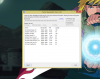
use this util with your region and post a screenshot of the results.

Second, readd your cap card and your webcam as global sources. this will help you during scene changes.
 
Okay I did the test ill attach a screen shot
Is it telling me that San Jose is a better server for me. Will that help with my connection
 

Attachments

  • Untitled2.png
    Untitled2.png
    444.9 KB · Views: 28
Code:
RTMPPublisher::SocketLoop: Stalled for 1755 ms to write 8779 bytes
(buffer: 0 / 459776), unstable connection?

your connection seems to be stalling out occasionally. This is what I could assume is one of two issues I see in your logfile. try this utility alone with nothing else happening.
http://www.teamliquid.net/forum/tech-support/478845-twitchtest-twitch-bandwidth-tester
use this util with your region and post a screenshot of the results.

Second, readd your cap card and your webcam as global sources. this will help you during scene changes.

Okay I did the test ill attach a screen shot
Is it telling me that San Jose is a better server for me. Will that help with my connection
 
Okay I did the test ill attach a screen shot
Is it telling me that San Jose is a better server for me. Will that help with my connection
the RTT(aka ping) doesnt matter to e certain extent. use the ingest with the highest quality as long as it beats your target bitrate.

Example: ingest speed 3000kpbs you would use no more than 2400 bitrate since audio bitrate isn't calculated into bitrate from OBS and you dont want to saturate your upload connection which will cause your download and general connection to fail.

EDIT: seems when your connection stalled, something else was going on with your network, someone uploading something big to saturate the line. If this is something you can avoid then do it. your connection to twitch is perfect as of those stats.
 
the RTT(aka ping) doesnt matter to e certain extent. use the ingest with the highest quality as long as it beats your target bitrate.

Example: ingest speed 3000kpbs you would use no more than 2400 bitrate since audio bitrate isn't calculated into bitrate from OBS and you dont want to saturate your upload connection which will cause your download and general connection to fail.

EDIT: seems when your connection stalled, something else was going on with your network, someone uploading something big to saturate the line. If this is something you can avoid then do it. your connection to twitch is perfect as of those stats.
what do you mean by ingest
 
Back
Top