Question / Help Help with OBS settings for Twitch stream

CapnBasch

New Member
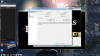
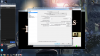
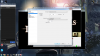
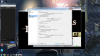
Hello, Im wanting to start streaming Twitch. I have set up a Twitch channel and have OBS for streaming purposes. I have watched some OBS tutorial videos and have the settings as close to optimal as I can tell from the info given in the videos. I set up a twitch chat overlay and have a face cam box going on, everything seems fine. I havent tried streaming yet because there is no way for me to see my own stream in action as far as i can tell, so to test video quality i just use regular game capture, not stream. the problem is when i watch the captured footage back it looks like total poop. REALLY bad. Can anyone help me find out where im going wrong? Ill include some screenshots of my settings.
pc specs
i5-4690k
16gb corsair vengeance ram
evga gtx 750 ti sc
my internet is a very steady 10 download / 1.5 upload .
is it because of my decently slow upload speed? did it look bad just because it was recorded footage and actually streaming it would look better?

sorry if im breaking any forum rules i dont know much about forums. thanks!
 

Attachments

  • Desktop 3-4-2015 8-43-06 PM-355.png
    Desktop 3-4-2015 8-43-06 PM-355.png
    910.2 KB · Views: 27
  • Desktop 3-4-2015 8-43-19 PM-885.png
    Desktop 3-4-2015 8-43-19 PM-885.png
    820.6 KB · Views: 32
  • Desktop 3-4-2015 8-43-31 PM-919.png
    Desktop 3-4-2015 8-43-31 PM-919.png
    827 KB · Views: 25
  • Desktop 3-4-2015 8-43-47 PM-637.png
    Desktop 3-4-2015 8-43-47 PM-637.png
    813.8 KB · Views: 22
  • Desktop 3-4-2015 8-43-56 PM-715.png
    Desktop 3-4-2015 8-43-56 PM-715.png
    834.1 KB · Views: 25
  • Desktop 3-4-2015 8-44-01 PM-782.png
    Desktop 3-4-2015 8-44-01 PM-782.png
    822.4 KB · Views: 20
set the bitrate to 15000 for local recording, for streaming set it to 2500

EDIT: I can see you only have 1500 upload, so using 1000 is about your max. sorry, there really isn't a way to make this better unless you downscale to 852x480
 
Thank you for the reply! so i set the bitrate to 2500. i have "automatically save stream to file" checked, with the intention of keeping a recording of the stream for possible youtube uploading. since i have the bitrate set to 2500 for streaming, will the video it keeps look like garbage?
 
Thank you for the reply! so i set the bitrate to 2500. i have "automatically save stream to file" checked, with the intention of keeping a recording of the stream for possible youtube uploading. since i have the bitrate set to 2500 for streaming, will the video it keeps look like garbage?
dont stream at 2500 with only 1500, I made corrections above. please read the update :D
 
alright i set it to 1000. so is my stream going to look as bad as the locally recorded video at 1000 bitrate? or will the video file saved when i stream at 1000 bitrate look better because i am in fact streaming at 1000 and keeping a video of it, instead of local recording at 1000?
 
alright i set it to 1000. so is my stream going to look as bad as the locally recorded video at 1000 bitrate? or will the video file saved when i stream at 1000 bitrate look better because i am in fact streaming at 1000 and keeping a video of it, instead of local recording at 1000?
the two would look the same. sadly, there isn't a way to record higher quality with local and lower with streaming in OBS. OBS MP is in beta and can do this function but note, it is still in beta. there are some things that haven't been added to it that regular OBS already has i.e. hotkey for the mic, and some other things.

https://obsproject.com/forum/threads/latest-windows-test-build-0-8-3.23342/


another option is to use two instances of OBS1, one for local and one for streaming, but I dont think your PC has enough CPU power to push two OBS1s while gaming. :/
 
alright thanks alot for your help. it looks like ill be looking into a faster upload speed from my isp.
recommend no more than 5Mb/s upload as any excess would be a waist of money unless you just want your videos to go to TY super fast.

EDIT: most 5Mb/s upload will give you up to 3.5Mb/s (aka 3500 bitrate) to twitch, and some left over for other traffic.
 
Back
Top