
Question / Help [help] Shaky and somewhat blurry image with streaming (hd60 s, 6000kbps, 1080p)

shm0

New Member
Hey all,

Just entering the streaming world, I've made some good progress so far in getting things going but after watching last night's stream I noticed that the image looks somewhat shaky and blurry at times.

Stream here: https://www.twitch.tv/videos/281796968

Log here: https://hastebin.com/qegofapime

I took a look and noticed some errors with .dlls missing and such, not sure if this is a problem.

I also attached a screenshot of how I have my audio setup, I think this should be okay, but I'm a noob so not really sure!

Any help to improve the image would be greatly appreciated!

Thanks :)
 

Attachments
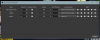
  • audio settings.png
    audio settings.png
    58.8 KB · Views: 34
Last edited:
run obs as admin.
to fix blurry picture can just be the game. to get control over such issues many switch to custom ffmpeg output to tweak exactly that. People who help are are voluntarily helping. Dont expect people to watch an entire vod, let alone a 3 hours long one, to find the issue you're having.
u dont say u have any audio issues so its prolly fine.
 
run obs as admin.
to fix blurry picture can just be the game. to get control over such issues many switch to custom ffmpeg output to tweak exactly that. People who help are are voluntarily helping. Dont expect people to watch an entire vod, let alone a 3 hours long one, to find the issue you're having.
u dont say u have any audio issues so its prolly fine.

Thanks for your reply! I'll look into that. You wouldn't need to watch the video for 3 hours to see the problem though, at any point during it you can see it. :)
 
Idk, to me it looks like its just game settings. I dont recognize the game sorry, so i cant tell. your buffer is just 1 second, u could up that. but too high buffer and u can run into issues with overcompensating into too high bitrate, that in turn can cause skips or stuff, so u need to check that.
 
Idk, to me it looks like its just game settings. I dont recognize the game sorry, so i cant tell. your buffer is just 1 second, u could up that. but too high buffer and u can run into issues with overcompensating into too high bitrate, that in turn can cause skips or stuff, so u need to check that.

Haha it's PUBG!! I didn't know anyone didn't know this game! Thanks all, I messed around a bit more with settings and I'm isolating a good setting. Not sure what was causing that shaking, but going advanced into of simple seemed to fix it. I was more concerned if I was missing some plug ins or dlls on my streaming pc
 
Back
Top