
Question / Help Help me optimize please

TuHTuHTucker

New Member
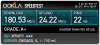
My current internet is 180 down and 23 up. I'm trying to find a way to optimize my streaming abilities. I keep dropping frames as of now and was wondering if anyone could help me out. I have a custom build pc. I7 processer and plenty of ram, cpu / gpu. I can send proper specs if you need it. Thank you in advance for the help.
 

Attachments

  • hgdf.png
    hgdf.png
    31.3 KB · Views: 18
There are no "best settings." Please understand that every setup, for every use case, will be very different. Any guides or videos that claim otherwise are misinforming. Your best option is to start with a base and adjust as necessary. Test, test, and test again. We are happy to offer suggestions for any issues you may be having, but we will not give you a list of settings.

As of OBS 19.0.0, an Auto-Configuration Wizard was added to help new or inexperienced users select streaming and recording settings that their PC can handle. It can be accessed from the Tools menu in OBS, and then just follow the on-screen directions. You can use this tool to get a set baseline settings for your hardware. Please note that the wizard is currently in beta!

If you are dropping frames or disconnecting, this can only be caused by a failure in your internet connection or your networking hardware. It is not caused by OBS. Follow the troubleshooting steps at: https://obsproject.com/wiki/Dropped-Frames-and-General-Connection-Issues

And lastly: If you're new to OBS Studio, the community has created some resources for you to use. Check out our Overview Guide at https://goo.gl/zyMvr1 and Nerd or Die's video guide at http://goo.gl/dGcPZ3
 
Back
Top