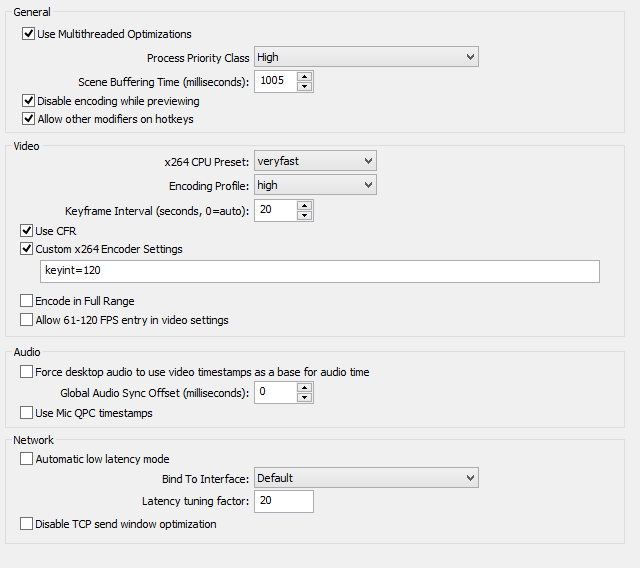
Try changing your process priority class to Normal - you're giving OBS too many resources and the game would likely suffer because of it. I'm not entirely sure what the encoding profile does, but mine is fine at main instead of high.
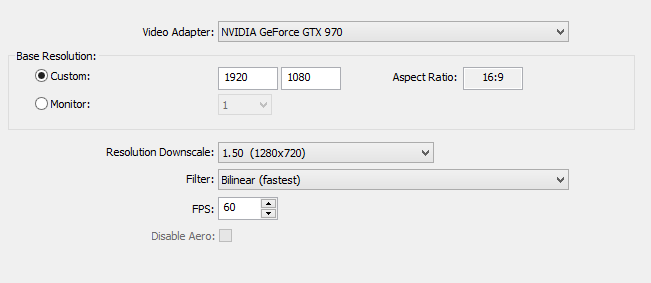
If it's still kinda laggy, try lowering your FPS to 50 (going down 10 at a time) if necessary.
Other than that, our systems are pretty identical other than you having a better video card than me. Your bitrate may be a bit too high if you're not partnered with Twitch, but that's another conversation.