

RedSundrYT
New Member
Hello there,
i have 2 different Tracks, one for my Mic and one for Desktop Audio.
If i chose to have one on each Track (2 and 3), i'm only able to hear the Game Audio when i check my Recorded footage.
If i switch to a single Track, and assign the Desktop+Mic Audio to that Track it work just fine.
But i need my Mic Audio on a seperate Track to edit it later with a Video Editing Software.
So i'm out of ideas what the issue can be. I watched some Tutorials out there and did excactly the same and it didnt fix it.
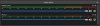
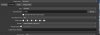
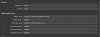
Here are some Screenshots and the last log file.
Hope someone know better then me. Help is needed :)
i have 2 different Tracks, one for my Mic and one for Desktop Audio.
If i chose to have one on each Track (2 and 3), i'm only able to hear the Game Audio when i check my Recorded footage.
If i switch to a single Track, and assign the Desktop+Mic Audio to that Track it work just fine.
But i need my Mic Audio on a seperate Track to edit it later with a Video Editing Software.
So i'm out of ideas what the issue can be. I watched some Tutorials out there and did excactly the same and it didnt fix it.
Here are some Screenshots and the last log file.
Hope someone know better then me. Help is needed :)
Attachments

Last edited:
