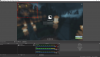
Hello! I was going to record a youtube video when I saw my game that I was playing was blocking my camera. How do I make both visible on the screen at the same time?
No. I will not, for something this simple.
Literally, in the Sources list, click and drag the Video Capture Device so it is placed above the Game Capture in the list of sources. Or if you like, click and drag the Game Capture so it is below the Video Capture Device on the list. You can also use the arrows at the bottom to change the order of the one you've highlighted by clicking on it.
VERYSTRONGLY recommend watching the NOD tutorial series linked in my last post. The tutorial series will cover this and many other essential foundational points.
This site uses cookies to help personalise content, tailor your experience and to keep you logged in if you register.
By continuing to use this site, you are consenting to our use of cookies.