

https://hastebin.com/sadawugule
Here's my log
So pretty much, I've been using OBS studio for quite a bit now. I've streamed using my PS4 capture card and running games on my laptop. Everything was good until the black screen happened. Not sure how or what caused it!! It happened randomly and it started for the first time a couple months ago and I haven't touched it since. Now I want to get back into streaming and not sure what to do. The last big change I remember doing was maybe using Streamlabs OBS and OBS? I would always use OBS but then heard of streamlabs and tried that a few times. Now theres a black screen. I've tried multiple "fixes" online, run as admin, etc.
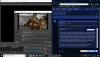
When I go to Game capture properties, I choose capture specific window, overwatch, and I see it in the preview screen literally as I type this. But it doesnt show on the full screen ?
I uninstalled and reinstalled and still nothing.
Also my display capture was literally the only thing working, and now it is not...?
Here's my log
So pretty much, I've been using OBS studio for quite a bit now. I've streamed using my PS4 capture card and running games on my laptop. Everything was good until the black screen happened. Not sure how or what caused it!! It happened randomly and it started for the first time a couple months ago and I haven't touched it since. Now I want to get back into streaming and not sure what to do. The last big change I remember doing was maybe using Streamlabs OBS and OBS? I would always use OBS but then heard of streamlabs and tried that a few times. Now theres a black screen. I've tried multiple "fixes" online, run as admin, etc.
When I go to Game capture properties, I choose capture specific window, overwatch, and I see it in the preview screen literally as I type this. But it doesnt show on the full screen ?
I uninstalled and reinstalled and still nothing.
Also my display capture was literally the only thing working, and now it is not...?
Attachments
Last edited: