Question / Help Game and communication sounds double, like if you are hearing the video twice at the same time

Check that you haven't enabled a source more than once in Audio setup.

Check the Advanced Audio settings to see if you haven't set your game audio to "monitor and output" and then set the monitoring device in OBS as your headset or your default audio output, as either could cause doubling.
 
Check that you haven't enabled a source more than once in Audio setup.

Check the Advanced Audio settings to see if you haven't set your game audio to "monitor and output" and then set the monitoring device in OBS as your headset or your default audio output, as either could cause doubling.

Didn´t work, but thanks for your suggestion ;)
 
As a case of interest, what does your Advanced Audio Settings window look like?

Also, are you using any external audio routing software such as VoiceMeeter Banana?
 
As a case of interest, what does your Advanced Audio Settings window look like?

Also, are you using any external audio routing software such as VoiceMeeter Banana?

Nope, nothing external, i didn´t installed no one of those
 

Attachments

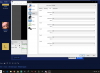
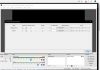
  • Captura de pantalla (175).png
    Captura de pantalla (175).png
    114.9 KB · Views: 586
  • Captura de pantalla (174).png
    Captura de pantalla (174).png
    162.6 KB · Views: 591
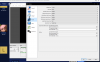
In the main OBS window, click the gear in the Mixer panel, and go to "Advanced Audio Settings". That's the window I'm interested in.
 
In the Logitech Gaming Software there will be an option to turn off Surround Sound

Enable and disable surround sound
  1. Make sure that the gaming headset is connected to your computer, and then launch LGS.
  2. On the LGS Home screen, navigate to the device selector at the bottom of the LGS window and click on the icon for your gaming headset.
  3. Select the Customize Surround Sound icon at the bottom of the window.
    7c77eff

  4. Click the Power icon to the right of Surround Sound to enable or disable surround sound on the gaming headset.
    c5b5589

 
In the Logitech Gaming Software there will be an option to turn off Surround Sound

Enable and disable surround sound
  1. Make sure that the gaming headset is connected to your computer, and then launch LGS.
  2. On the LGS Home screen, navigate to the device selector at the bottom of the LGS window and click on the icon for your gaming headset.
  3. Select the Customize Surround Sound icon at the bottom of the window.
    7c77eff

  4. Click the Power icon to the right of Surround Sound to enable or disable surround sound on the gaming headset.
    c5b5589

Let me show you my problem with this video that i just reorded. https://youtu.be/to4wFg9oBb0
 
Audio is always a fun one to debug, luckily it's only ever going to be one of a select few things
 
Last edited:
Back
Top