fans sound not heard in football match

I don't see a Noise Suppressor in the log - that's a filter that a lot of people use in OBS, thinking it's magic, when it's only meant for one specific job - but there might still be one in Windows itself, probably called something different.

A Noise Suppressor is designed for spoken voice only. Anything else is considered as noise to be removed. Think of a business "bored meeting" in a terrible conference room, lobby, living room, etc. Or trying to make a phone call from a crowded stadium during the game. Or keeping the announcers separate so that the crowd can be added back in from a different set of mics, in the amount that the producer wants.

Going back to the business idea, which is really what Windows is designed for, most business people don't have a clue. (no further qualification needed, in a lot of cases!) They want their meetings to "just work", they can't keep from messing with stuff (thinking they're "doing something productive"), and they get really mad when things don't "just work". So Windows' setting to "clean up the mic" is hidden away where a non-techie is not likely to find it. You need to find it, recognize what else Microsoft called it, and turn it off.

And while you're at it, turn off all of the other audio "enhancements" too. Consumers like candy, and that's the other big part of Microsoft's market. You don't want any of that. Just a dumb passthrough from the wire to OBS.

 
The other possibility is a really good mic (pre Operating System, driver, audio sub-system possibilities) that cuts out that background sound to begin with. (presuming you are recording directly from the Announcer mic)
 
@adeldel As seen from your log you are using additional techniques like "Voice.ai Audio Cable". So you have at least two mic paths in your system. Drop it!

And you should tell us how the "matches sound" enters your system.
 
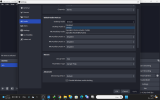
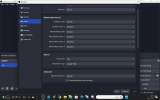
I TRACE analyzing of OBS and disabel game DVR background recording as OBS recommended , but still I cannot hear fans cheering up just I hear the commentator . i attch one video from youtube YOU CAN HEAR fans cheering and whistles , one video for obs recording no fans voice , log file and two photos from MY OBS AUDIO SETTING .. thank you


Attachments

  • ‏‏لقطة الشاشة (3207).png
    ‏‏لقطة الشاشة (3207).png
    211.6 KB · Views: 19
  • ‏‏لقطة الشاشة (3206).png
    ‏‏لقطة الشاشة (3206).png
    207.1 KB · Views: 14
Last edited:
You're using Default for all of your device selections. This is not your problem, but it can easily become another problem at any time, when Windows decides to change what Default means.

Usually, that's when a device appears or disappears. Maybe you plugged something in that has an audio function, so now Default automatically points to what you just plugged in. Maybe something "woke up from sleep", that has an audio function, and Windows can't tell the difference between that and you plugging it in. Maybe something went away - unplugged or sleep - and the list rearranges so that Default points to something else.

Anyway, Default is always subject to change. It's good to prove that a fresh installation works, but that's all. Always choose a specific device, never Default, so that you're always using the device that you think you're using.
 
You're not trying to add something that's not already there, are you?
  • Are you recording a professionally-finished thing off the TV, that was made with practically no crowd noise?
  • Are you recording the game directly, in person, using a single mic like Lawrence speculated, that has a pickup pattern that rejects that sound acoustically?
  • Etc.
If it's not there to start with, you can't add it back in, without creating it yourself. Not even the pros can do that.
 
@adeldel Did you dropped any software like Voice.ai like mentioned?

And, as Aaron noted, you should describe your complete setup (audio workflow from mic used till the OBS). Otherwise nobody may help with incomplete knowledge about your situation. Provide screenshots or send pictures from your mics and/or devices used, if so.
 
Back
Top