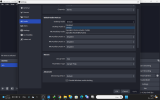
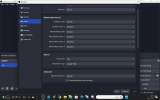
I don't see a Noise Suppressor in the log - that's a filter that a lot of people use in OBS, thinking it's magic, when it's only meant for one specific job - but there might still be one in Windows itself, probably called something different.
A Noise Suppressor is designed for spoken voice only. Anything else is considered as noise to be removed. Think of a business "bored meeting" in a terrible conference room, lobby, living room, etc. Or trying to make a phone call from a crowded stadium during the game. Or keeping the announcers separate so that the crowd can be added back in from a different set of mics, in the amount that the producer wants.
Going back to the business idea, which is really what Windows is designed for, most business people don't have a clue. (no further qualification needed, in a lot of cases!) They want their meetings to "just work", they can't keep from messing with stuff (thinking they're "doing something productive"), and they get really mad when things don't "just work". So Windows' setting to "clean up the mic" is hidden away where a non-techie is not likely to find it. You need to find it, recognize what else Microsoft called it, and turn it off.
And while you're at it, turn off all of the other audio "enhancements" too. Consumers like candy, and that's the other big part of Microsoft's market. You don't want any of that. Just a dumb passthrough from the wire to OBS.