Markus Runge
New Member
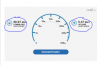
Hello guys, so i just started streaming last week, and i figured i would like a webcam for my stream, to get the viewers a more pleasant experience. I am just concerned that my internet is good enough for streaming. also i have experienced some lags while i stream, and i really insecure about the settings I used in my OBS. So basicly im asking how to make it pleasent for the viewers with a good quality, and me not lagging when playing. and the site question, if i can stream with a webcam or not. I am streaming CS:GO, if any of you have any experience with that game.
Kind regards - Markus Runge.
LOG:
[16:14:15: CLR host plugin strings not found, dynamically loading 4 strings
16:14:15: CLRHost::Initialize() attempting to load and start the .NET runtime (null)
16:14:15: CLRHost::Initialize() Found version v2.0.50727 .NET runtime
16:14:15: CLRHost::Initialize() Found version v4.0.30319 .NET runtime
16:14:15: CLRHost::Initialize() attempting to use v4.0.30319 .NET runtime
16:14:15: CLRHost::LoadInteropLibrary() load the assembly plugins\CLRHostPlugin\CLRHost.Interop.dll
16:14:15: CLRHost::LoadPlugins() attempting to load the plugin assembly CLRBrowserSourcePlugin
16:14:15: CLRHost:: Could not find/load browser settings at location C:\Users\rUNG\AppData\Roaming\OBS\pluginData\browser.json
16:14:15: CLRHost:: Exception: System.IO.FileNotFoundException: Could not find file 'C:\Users\rUNG\AppData\Roaming\OBS\pluginData\browser.json'.
16:14:15: File name: 'C:\Users\rUNG\AppData\Roaming\OBS\pluginData\browser.json'
16:14:15: at System.IO.__Error.WinIOError(Int32 errorCode, String maybeFullPath)
16:14:15: at System.IO.FileStream.Init(String path, FileMode mode, FileAccess access, Int32 rights, Boolean useRights, FileShare share, Int32 bufferSize, FileOptions options, SECURITY_ATTRIBUTES secAttrs, String msgPath, Boolean bFromProxy, Boolean useLongPath, Boolean checkHost)
16:14:15: at System.IO.FileStream..ctor(String path, FileMode mode, FileAccess access, FileShare share)
16:14:15: at CLRBrowserSourcePlugin.Shared.BrowserSettings.Reload()
16:14:15: CLRHost::LoadPlugins() successfully added CLR plugin [Type: CLRBrowserSourcePlugin.CLRBrowserSourcePlugin, Name: CLR Browser Source Plugin]
16:15:42: Open Broadcaster Software v0.653b - 32bit (´・ω・`)
16:15:42: -------------------------------
16:15:42: CPU Name: Intel(R) Core(TM) i5-4460 CPU @ 3.20GHz
16:15:42: CPU Speed: 3200MHz
16:15:42: Physical Memory: 4095MB Total, 4095MB Free
16:15:42: stepping id: 3, model 60, family 6, type 0, extmodel 1, extfamily 0, HTT 1, logical cores 4, total cores 4
16:15:42: monitor 1: pos={0, 0}, size={1680, 1050}
16:15:42: Windows Version: 6.1 Build 7601 S
16:15:42: Aero is Enabled
16:15:42: -------------------------------
16:15:42: OBS Modules:
16:15:42: Base Address Module
16:15:42: 01060000 OBS.exe
16:15:42: 51E50000 OBSApi.dll
16:15:42: 556C0000 CLRHostPlugin.dll
16:15:42: 53B80000 DShowPlugin.dll
16:15:42: 522C0000 GraphicsCapture.dll
16:15:42: 52290000 NoiseGate.dll
16:15:42: 5B4C0000 PSVPlugin.dll
16:15:42: 52270000 scenesw.dll
16:15:42: ------------------------------------------
16:15:42: Adapter 1
16:15:42: Video Adapter: NVIDIA GeForce GTX 760
16:15:42: Video Adapter Dedicated Video Memory: 2087387136
16:15:42: Video Adapter Shared System Memory: 2147807232
16:15:42: Video Adapter Output 1: pos={0, 0}, size={1680, 1050}, attached=true
16:15:42: =====Stream Start: 2015-07-31, 16:15:42===============================================
16:15:42: Multithreaded optimizations: On
16:15:42: Base resolution: 1600x900
16:15:42: Output resolution: 1280x720
16:15:42: ------------------------------------------
16:15:42: Loading up D3D10 on NVIDIA GeForce GTX 760 (Adapter 1)...
16:15:42: ------------------------------------------
16:15:42: Audio Format: 48000 Hz
16:15:42: ------------------------------------------
16:15:42: Audio Channels: 2 Ch
16:15:42: Playback device Default
16:15:42: ------------------------------------------
16:15:42: Using desktop audio input: Headphones (Razer Kraken USB)
16:15:42: Global Audio time adjust: 0
16:15:42: ------------------------------------------
16:15:42: Using auxilary audio input: Microphone (Razer Kraken USB)
16:15:42: Mic time offset: 0
16:15:42: Using Window Capture
16:15:42: Using graphics capture
16:15:42: Trying to hook process: csgo.exe
16:15:42: Scene buffering time set to 700
16:26:56: No Intel graphics adapter visible in QSVHelper.exe, Optimus problem?
16:26:56: CUDA loaded successfully
16:26:56: 1 CUDA capable devices found
16:26:56: [ GPU #0 - < GeForce GTX 760 > has Compute SM 3.0, NVENC Available ]
16:29:23: Total frames encoded: 0, total frames duplicated: 0 (0.00%)
16:29:23: Total frames rendered: 24621, number of late frames: 0 (0.00%) (it's okay for some frames to be late)
16:29:23:
16:29:23: Profiler time results:
16:29:23:
16:29:23: ==============================================================
16:29:23: video thread frame - [100%] [avg time: 1.707 ms] [children: 63.7%] [unaccounted: 36.3%]
16:29:23: | scene->Preprocess - [60%] [avg time: 1.025 ms]
16:29:23: | GPU download and conversion - [3.63%] [avg time: 0.062 ms] [children: 3.46%] [unaccounted: 0.176%]
16:29:23: | | flush - [3.46%] [avg time: 0.059 ms]
16:29:23: ==============================================================]
16:29:23:
16:29:23:
16:29:23: Profiler CPU results:
16:29:23:
16:29:23: ==============================================================
16:29:23: video thread frame - [cpu time: avg 0.543 ms, total 13369.3 ms] [avg calls per frame: 1]
16:29:23: | scene->Preprocess - [cpu time: avg 0.012 ms, total 296.401 ms] [avg calls per frame: 1]
16:29:23: | GPU download and conversion - [cpu time: avg 0.027 ms, total 686.404 ms] [avg calls per frame: 1]
16:29:23: | | flush - [cpu time: avg 0.026 ms, total 655.203 ms] [avg calls per frame: 1]
16:29:23: ==============================================================
16:29:23:
16:29:23: =====Stream End: 2015-07-31, 16:29:23=================================================]
Kind regards - Markus Runge.
LOG:
[16:14:15: CLR host plugin strings not found, dynamically loading 4 strings
16:14:15: CLRHost::Initialize() attempting to load and start the .NET runtime (null)
16:14:15: CLRHost::Initialize() Found version v2.0.50727 .NET runtime
16:14:15: CLRHost::Initialize() Found version v4.0.30319 .NET runtime
16:14:15: CLRHost::Initialize() attempting to use v4.0.30319 .NET runtime
16:14:15: CLRHost::LoadInteropLibrary() load the assembly plugins\CLRHostPlugin\CLRHost.Interop.dll
16:14:15: CLRHost::LoadPlugins() attempting to load the plugin assembly CLRBrowserSourcePlugin
16:14:15: CLRHost:: Could not find/load browser settings at location C:\Users\rUNG\AppData\Roaming\OBS\pluginData\browser.json
16:14:15: CLRHost:: Exception: System.IO.FileNotFoundException: Could not find file 'C:\Users\rUNG\AppData\Roaming\OBS\pluginData\browser.json'.
16:14:15: File name: 'C:\Users\rUNG\AppData\Roaming\OBS\pluginData\browser.json'
16:14:15: at System.IO.__Error.WinIOError(Int32 errorCode, String maybeFullPath)
16:14:15: at System.IO.FileStream.Init(String path, FileMode mode, FileAccess access, Int32 rights, Boolean useRights, FileShare share, Int32 bufferSize, FileOptions options, SECURITY_ATTRIBUTES secAttrs, String msgPath, Boolean bFromProxy, Boolean useLongPath, Boolean checkHost)
16:14:15: at System.IO.FileStream..ctor(String path, FileMode mode, FileAccess access, FileShare share)
16:14:15: at CLRBrowserSourcePlugin.Shared.BrowserSettings.Reload()
16:14:15: CLRHost::LoadPlugins() successfully added CLR plugin [Type: CLRBrowserSourcePlugin.CLRBrowserSourcePlugin, Name: CLR Browser Source Plugin]
16:15:42: Open Broadcaster Software v0.653b - 32bit (´・ω・`)
16:15:42: -------------------------------
16:15:42: CPU Name: Intel(R) Core(TM) i5-4460 CPU @ 3.20GHz
16:15:42: CPU Speed: 3200MHz
16:15:42: Physical Memory: 4095MB Total, 4095MB Free
16:15:42: stepping id: 3, model 60, family 6, type 0, extmodel 1, extfamily 0, HTT 1, logical cores 4, total cores 4
16:15:42: monitor 1: pos={0, 0}, size={1680, 1050}
16:15:42: Windows Version: 6.1 Build 7601 S
16:15:42: Aero is Enabled
16:15:42: -------------------------------
16:15:42: OBS Modules:
16:15:42: Base Address Module
16:15:42: 01060000 OBS.exe
16:15:42: 51E50000 OBSApi.dll
16:15:42: 556C0000 CLRHostPlugin.dll
16:15:42: 53B80000 DShowPlugin.dll
16:15:42: 522C0000 GraphicsCapture.dll
16:15:42: 52290000 NoiseGate.dll
16:15:42: 5B4C0000 PSVPlugin.dll
16:15:42: 52270000 scenesw.dll
16:15:42: ------------------------------------------
16:15:42: Adapter 1
16:15:42: Video Adapter: NVIDIA GeForce GTX 760
16:15:42: Video Adapter Dedicated Video Memory: 2087387136
16:15:42: Video Adapter Shared System Memory: 2147807232
16:15:42: Video Adapter Output 1: pos={0, 0}, size={1680, 1050}, attached=true
16:15:42: =====Stream Start: 2015-07-31, 16:15:42===============================================
16:15:42: Multithreaded optimizations: On
16:15:42: Base resolution: 1600x900
16:15:42: Output resolution: 1280x720
16:15:42: ------------------------------------------
16:15:42: Loading up D3D10 on NVIDIA GeForce GTX 760 (Adapter 1)...
16:15:42: ------------------------------------------
16:15:42: Audio Format: 48000 Hz
16:15:42: ------------------------------------------
16:15:42: Audio Channels: 2 Ch
16:15:42: Playback device Default
16:15:42: ------------------------------------------
16:15:42: Using desktop audio input: Headphones (Razer Kraken USB)
16:15:42: Global Audio time adjust: 0
16:15:42: ------------------------------------------
16:15:42: Using auxilary audio input: Microphone (Razer Kraken USB)
16:15:42: Mic time offset: 0
16:15:42: Using Window Capture
16:15:42: Using graphics capture
16:15:42: Trying to hook process: csgo.exe
16:15:42: Scene buffering time set to 700
16:26:56: No Intel graphics adapter visible in QSVHelper.exe, Optimus problem?
16:26:56: CUDA loaded successfully
16:26:56: 1 CUDA capable devices found
16:26:56: [ GPU #0 - < GeForce GTX 760 > has Compute SM 3.0, NVENC Available ]
16:29:23: Total frames encoded: 0, total frames duplicated: 0 (0.00%)
16:29:23: Total frames rendered: 24621, number of late frames: 0 (0.00%) (it's okay for some frames to be late)
16:29:23:
16:29:23: Profiler time results:
16:29:23:
16:29:23: ==============================================================
16:29:23: video thread frame - [100%] [avg time: 1.707 ms] [children: 63.7%] [unaccounted: 36.3%]
16:29:23: | scene->Preprocess - [60%] [avg time: 1.025 ms]
16:29:23: | GPU download and conversion - [3.63%] [avg time: 0.062 ms] [children: 3.46%] [unaccounted: 0.176%]
16:29:23: | | flush - [3.46%] [avg time: 0.059 ms]
16:29:23: ==============================================================]
16:29:23:
16:29:23:
16:29:23: Profiler CPU results:
16:29:23:
16:29:23: ==============================================================
16:29:23: video thread frame - [cpu time: avg 0.543 ms, total 13369.3 ms] [avg calls per frame: 1]
16:29:23: | scene->Preprocess - [cpu time: avg 0.012 ms, total 296.401 ms] [avg calls per frame: 1]
16:29:23: | GPU download and conversion - [cpu time: avg 0.027 ms, total 686.404 ms] [avg calls per frame: 1]
16:29:23: | | flush - [cpu time: avg 0.026 ms, total 655.203 ms] [avg calls per frame: 1]
16:29:23: ==============================================================
16:29:23:
16:29:23: =====Stream End: 2015-07-31, 16:29:23=================================================]