
Bug Report Error 10047: Failed to connect to server

Wolf Shadow

New Member
Installed OBS-Studio-0.15.4-With-Browser-Installer and now cannot connect to servers. Issue started with version 15.3.
Was working with version 15.2.

Will go back to version 15.2, but would like to use the new wipe plugin of 15.4

Filed log file with GitHub through OBS program.
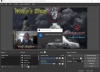
 

Attachments

  • Screenshot_1.png
    Screenshot_1.png
    381.2 KB · Views: 96
  • 2016-08-08 10-48-24.txt
    2016-08-08 10-48-24.txt
    8.1 KB · Views: 56
From your log:

10:50:24.777: RTMP_Connect0, failed to bind socket: An address incompatible with the requested protocol was used. (10047)

Try disabling IPv6 on your PC.
 
If disabling IPv6 isn't working try this:

Could you check that the right IP is set under File > Settings > Advanced > Network > Bind to IP

If it's set to Default try setting it to the actual network interface IP.
 
10:50:28.023: [rtmp stream: 'adv_stream'] Binding to IP

Set this back to default.
 
If disabling IPv6 isn't working try this:

Could you check that the right IP is set under File > Settings > Advanced > Network > Bind to IP

If it's set to Default try setting it to the actual network interface IP.
This worked by selecting the wireless WiFi setting...thank you!
 
10:50:28.023: [rtmp stream: 'adv_stream'] Binding to IP

Set this back to default.

Hi, was set on default, by Gol D.'s suggestion, I set it to WiFi Router address and it is now working.
Also reset back to default and is now working....seems to be an issue during the install.
 
Back
Top