Encoding/Rendering Lag On Powerful Computer

I'm trying to record gameplay at 4K and 60fps. I am running an i9-10900K and an RTX 3080ti. The answer to this might be incredibly simple but am I simply asking too much of the hardware?

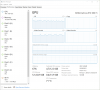
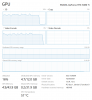
When I record, my GPU utilization stays in the 70-80% range, and my CPU doesn't even pass 30%. It also tells me in the log files that only 33 frames were skipped due to the lag and yet when I look at the preview window or view the recorded file, it is much worse than that, hitching very frequently (despite the game itself running and looking fine).

Any answers or potential solutions would be very appreciated, thank you.
 

Attachments

  • OBS Capture Log.txt
    OBS Capture Log.txt
    10.1 KB · Views: 38
  • 19110.png
    19110.png
    47.9 KB · Views: 50
1. Enabled Game Mode via the Windows 10 "Settings" app, under Gaming > Game Mode.
2. Uncheck the box for Psycho Visual Tuning.
3. Record to MKV. If you record to MP4 or MOV and the recording is interrupted, the file will be corrupted and unrecoverable.

If you require MP4 files for some other purpose like editing, remux them afterwards by selecting File > Remux Recordings in the main OBS Studio window or enable Auto Remux in Advanced.
4. Display and Game Capture Sources interfere with each other. Never put them in the same scene (Testing).

If still having issues, refresh rate and game FPS to 60.
 
1. Enabled Game Mode via the Windows 10 "Settings" app, under Gaming > Game Mode.
2. Uncheck the box for Psycho Visual Tuning.
3. Record to MKV. If you record to MP4 or MOV and the recording is interrupted, the file will be corrupted and unrecoverable.

If you require MP4 files for some other purpose like editing, remux them afterwards by selecting File > Remux Recordings in the main OBS Studio window or enable Auto Remux in Advanced.
4. Display and Game Capture Sources interfere with each other. Never put them in the same scene (Testing).

If still having issues, refresh rate and game FPS to 60.
- Enabling Game Mode makes it even choppier, both in recording and in gameplay.
- Unchecking Psycho Visual Tuning does nothing to either the recording or the utilization.
- I am not using Display/Game Capture Sources simultaneously in the log that I sent (I recorded using the "PC Gameplay Recording" scene).
- The game is already set to 60fps with V-Sync enabled, and changing my TV refresh rate to 60fps doesn't affect the recording hitches.
 
You have numerous 4k sized capture sources. Multiple game capture sources, multiple display capture sources, a capture device. That's heavy load.
Since every source is always active, regardless of being visible or not, regardless of being active or not, regardless of the scene, I recommend you remove every source from your scene collection you don't actually use. Don't keep a source you're currently not using "just in case". Remove it instead.
Check how the system will behave with the minimum amount of capture sources. If it behaves well, you can add sources again one by one, until you see performance issues appear.
And don't do game capture and display capture from the same monitor at the same time. They might stomp on each other.
 
You have numerous 4k sized capture sources. Multiple game capture sources, multiple display capture sources, a capture device. That's heavy load.
Since every source is always active, regardless of being visible or not, regardless of being active or not, regardless of the scene, I recommend you remove every source from your scene collection you don't actually use. Don't keep a source you're currently not using "just in case". Remove it instead.
Check how the system will behave with the minimum amount of capture sources. If it behaves well, you can add sources again one by one, until you see performance issues appear.
And don't do game capture and display capture from the same monitor at the same time. They might stomp on each other.
I tried removing all of the excess scenes and sources I had (I wasn't aware that they were still using resources in the background). It improved my utilization, which is now in the 60-70% range while playing and recording, but I still see these same constant hitches in the preview and recording despite all of that.


Attachments

  • 18934 (3).png
    18934 (3).png
    103.2 KB · Views: 39
Did resetting of Windows helped?
I have got the same problem with Rendering Lag/Encoding Lag on i7 8700k and GTX 1080ti and I am not even gaming at the same time.
There is one video loop in the background and 2 camera inputs from an Elgato Cam Link Pro.
 
Back
Top