Hello everyone!
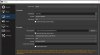
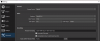
Ive been recording some gameplay videos for quite some time with 1080p 60fps settings. But 2 days ago I decided to full wipe (reset) my PC, similar to spring cleaning. After downloading most stuff back I wanted to record some games, but for some reason in auto-configuration wizard it suggests the recording quality to be high, instead of indistinguishable quality large files like I always used. Regardless, I changed it back to what it was before, but after recording for about 4minutes, I get the message

Why am I not able to record stuff properly anymore in 1080p 60fps? To my knowledge I've had the same settings for like 2 years, and I'd rather not downgrade now...
Ive been recording some gameplay videos for quite some time with 1080p 60fps settings. But 2 days ago I decided to full wipe (reset) my PC, similar to spring cleaning. After downloading most stuff back I wanted to record some games, but for some reason in auto-configuration wizard it suggests the recording quality to be high, instead of indistinguishable quality large files like I always used. Regardless, I changed it back to what it was before, but after recording for about 4minutes, I get the message
Why am I not able to record stuff properly anymore in 1080p 60fps? To my knowledge I've had the same settings for like 2 years, and I'd rather not downgrade now...