Log File: https://gist.github.com/anonymous/2b9fdbc46e47e6311c88186fb9e16a31
Video: https://www.twitch.tv/videos/180533085
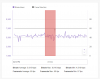
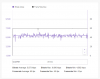
Internet Speed Test Results:
Download - 240 mbps
Upload - 12 mbps
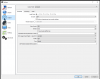
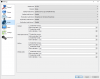
I have been playing around with every setting imaginable and I just can't seem to figure out how to get a smooth 1080p 60 FPS stream going here.
My internet is very good and from what I've been told my computer is just fine as it's a dedicated streaming computer and I'm doing actual gaming on my other computer.
Can anyone help me to figure out how to make my stream smooth and no skipping and jumping?
Video: https://www.twitch.tv/videos/180533085
Internet Speed Test Results:
Download - 240 mbps
Upload - 12 mbps
I have been playing around with every setting imaginable and I just can't seem to figure out how to get a smooth 1080p 60 FPS stream going here.
My internet is very good and from what I've been told my computer is just fine as it's a dedicated streaming computer and I'm doing actual gaming on my other computer.
Can anyone help me to figure out how to make my stream smooth and no skipping and jumping?