Question / Help Dropped frames

meth0d1hp

New Member
For quite a while I have been dealing with dropped frames and I have constantly seen my community slowly start becoming more and more frustrated with the quality.

I have tried the OBS thread here on possible fixes and nothing has seemed to work, hopefully with my logs you guys can help me find an answer.

These are logs for the past few days, let me know if you need anything else at all information wise.

Forgot to mention my down is 300mbps and up is 10mbps
 

Attachments

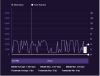
Here is a twitch inspector test.
 

Attachments

  • Stream spikes.PNG
    Stream spikes.PNG
    23 KB · Views: 51
Bump as well...

Been having this issue for two weeks after over 2 months of streaming without any issue... No settings were changed. Just decided to show up one day and ruin my streaming. Guide doesn't help. After spending hours talking to the ISP and other people, I thought it might be a bad routing from my modem to the twitch server. However, recently my IP address changed after I got a new modem and still having the issue. Network utility drivers are up to date and the firewall does not appear to be messing with anything.

Hate to say it... But kinda glad I'm not the only person with this issue.
 

Attachments

The only thing I notice about your logs and mine is the memory leaks. Scroll down to the bottom of the logs and you have between 29 and 48 memory leaks. Mine says 9. I don't know what the effect of that is.
 
13:14:48.193: [rtmp stream: 'adv_stream'] User stopped the stream
13:14:48.193: Output 'adv_stream': stopping
13:14:48.193: Output 'adv_stream': Total frames output: 1601 (1919 attempted)
13:14:48.193: Output 'adv_stream': Total drawn frames: 1969
13:14:48.193: Output 'adv_stream': Number of dropped frames due to insufficient bandwidth/connection stalls: 318 (16.6%)
13:14:48.193: [rtmp stream: 'adv_stream'] Freeing 13 remaining packets
 
What are your PC specs?
I would try to play at 1080p and downscale stream to 720p/60fps. If your CPU can handle it you can encode at faster or faster settings. Bitrate should be 5000-6000. A lot of these settings depend on your PC specs as I requested.
 
Some Days ago i've postet the same problem in an other Thread and still got the same and like i see, i'm not the only one. i don't know why i got suddenly such bad ass problems. i got a high quality PC and a really high Internet connection. always streamed in 1080p60fps with a 6k Bitrate NEVER a lag or frame drops!!! NOW i can't stream in FullHD... lagging... HD... lagging after 3h and never ends till i shot down OBS. it is always the OBS programm that makes my CPU go to 100%. (talking about 20.000-30.000 dropped frames in a short time)
everyday since i am afraid to turn on my stream, because i know there will be the same SH*T and i know i can do nothing about it... :((
all i could do and did is chacking my hole PC... updated WIN10 and NVIDIA... searched with 3 differend Progs for Malware etc. NOTHING changed... :(( PLEASE HELP
[sorry for bad eng... i'm german ^^]
Here are some of my last LOGs... hope anyone can help ^^
LOG 1
LOG 2
LOG 3
LOG 4
 
Last edited:
My ISP tech came out and just replaced everything. Cables in the wall, fixed my connection to the main cable box outside, replaced the modem and router which caused my IP address to change (thought I just had a bad routing). I also just reinstalled windows and only loaded the basic drivers and the streaming software. However, all of this has failed and I'm out of any ideas of what it might be. Going on 3 weeks now after 3 months of perfect streaming at 6mbs
 
13:14:48.193: [rtmp stream: 'adv_stream'] User stopped the stream
13:14:48.193: Output 'adv_stream': stopping
13:14:48.193: Output 'adv_stream': Total frames output: 1601 (1919 attempted)
13:14:48.193: Output 'adv_stream': Total drawn frames: 1969
13:14:48.193: Output 'adv_stream': Number of dropped frames due to insufficient bandwidth/connection stalls: 318 (16.6%)
13:14:48.193: [rtmp stream: 'adv_stream'] Freeing 13 remaining packets


My computer specs are 1070 ROG and a i7 6700k with 36g of memory.
 
My computer specs are 1070 ROG and a i7 6700k with 36g of memory.

Your Internet connection cannot handle what you are streaming. That's what the log is saying when it says "insufficient bandwidth/connection stalls".

3:14:48.193: Output 'adv_stream': Number of dropped frames due to insufficient bandwidth/connection stalls: 318 (16.6%)
 
Back
Top