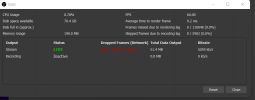
I have quite literally tried everything i can think of, ive been on google and youtube all day trying to find fixes and nothing is working for me, ill go from a steady 5-6k upload speeds and randomly drop to sub 1k, i get about 25-30% dropped frames and i have no idea, i just bought this gaming laptop, best computer ive ever had, i just got rid of my old desktop and had zero issues streaming. Ive even called my ISP and there telling me everything is fine on my side. Any thing i can upload to help yall help me lol. Much appreaciated. My download is 200 and upload is 20, i use a Cat6 Ethernet cable.
Dropped Frames (Network Problems)
- Thread starter Treedom
- Start date