Commondeczzz
New Member
Im streaming League of Legends on Twitch via OBS.
Other games work fine, with no issues. As soon as I load a game with League of legends, My frames drop to 18%, and my internet on obs goes to 0 Kbps.
Before League loads, my frames are fine and my KBPS is as 9000! It's LITERALLY only when I stream league of legends? Can anyone tell me why or how to fix it?
Ive tried doing the stream on youtube, got the same thing. My internet is good, running at average 350-400mb/s download and 55mb/s upload.
Ive spent SO LONG trying to find the issue and I just cant. Ive asked help from loads of people and nobody seems ro understand why it ONLY does it for League of Legends. and It's the only game I wanna stream!!
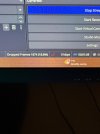
Ive attached a picute to show you all what it does as soon as i load a game on League.
Praying for a miracle!
Other games work fine, with no issues. As soon as I load a game with League of legends, My frames drop to 18%, and my internet on obs goes to 0 Kbps.
Before League loads, my frames are fine and my KBPS is as 9000! It's LITERALLY only when I stream league of legends? Can anyone tell me why or how to fix it?
Ive tried doing the stream on youtube, got the same thing. My internet is good, running at average 350-400mb/s download and 55mb/s upload.
Ive spent SO LONG trying to find the issue and I just cant. Ive asked help from loads of people and nobody seems ro understand why it ONLY does it for League of Legends. and It's the only game I wanna stream!!
Ive attached a picute to show you all what it does as soon as i load a game on League.
Praying for a miracle!