Question / Help Drop fps and High Load CPU

ChilliSpitch

New Member
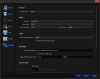
Hello, I have a big problem with the OBS. The fact is that in the very low FPS, although in the game everything is fine, with the components of the PC all right, I've tried everything, but nothing helps ... The only thing that helped me was that I installed Win 8.1 instead of Win 10, and on Win 8.1 everything works fine, but I'm interested in a question specifically concerning Windows 10. Also I'm worried about the CPU usage of the Browser source plug-in, although earlier with a 1080p streaming at 60fps, I had a CPU load of about 25%, which is normal, and now ~ 40% ... Please help me to solve this problem.
 

Attachments
  • Advanced.png
    Advanced.png
    65.5 KB · Views: 30
  • Output.png
    Output.png
    62.9 KB · Views: 31
  • Video.png
    Video.png
    49.3 KB · Views: 28
Last edited:
Physically remove the GT 730 from your system to start. It's not helping anything and is actually slowing down your 1060.
You also have way too many game capture sources
Multiple Game Capture sources are usually not needed, and can sometimes interfere with each other. You can use the same Game Capture for all your games! If you change games often, try out the hotkey mode, which lets you press a key to select your active game. If you play games in fullscreen, use "Capture any fullscreen application" mode.
 
Back
Top