Question / Help DONE! Settings for Streaming

ItzBen

New Member
Hey Guys,
I want to Stream in 720p 30 or 60fps can anybody give me some good setttings, because all the Videos on Youtube dont work for me.
So I got a GTX 1080 in my PC and an Ryzen 7 1800x. It would be nice if you send some Pictures were you can see everything.
One more thing I got an 12000kps upload Speed for my Internet and an 200000kps download speed.
 

Attachments

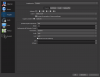
  • OBS 21.1.2 (64bit, windows) - Profil_ Unbenannt - Szenen_ Unbenannt 19.06.2018 16_57_20.png
    OBS 21.1.2 (64bit, windows) - Profil_ Unbenannt - Szenen_ Unbenannt 19.06.2018 16_57_20.png
    45.4 KB · Views: 39
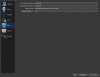
  • OBS 21.1.2 (64bit, windows) - Profil_ Unbenannt - Szenen_ Unbenannt 19.06.2018 16_57_09.png
    OBS 21.1.2 (64bit, windows) - Profil_ Unbenannt - Szenen_ Unbenannt 19.06.2018 16_57_09.png
    60.3 KB · Views: 44
Ok I can see your issue the first pic is where you do the downscale to 720p, the box above the frames. the 2nd pic keyframe 2 and 2500kbps should be fine for 720@30, you could go 720@60 with that cpu and change from nvenc to X264 its much better for encoding especially seeing as you have the power to do so. Try that and let me know, I can post pics later or a video maybe if you like or get stuck. Hope this helps in the meantime
 
Ok I can see your issue the first pic is where you do the downscale to 720p, the box above the frames. the 2nd pic keyframe 2 and 2500kbps should be fine for 720@30, you could go 720@60 with that cpu and change from nvenc to X264 its much better for encoding especially seeing as you have the power to do so. Try that and let me know, I can post pics later or a video maybe if you like or get stuck. Hope this helps in the meantime
???
 
Back
Top