On my Windows laptop, OBS has suddenly started misbehaving. It was working perfectly fine till yesterday. I have tried to check after disabling most apps. On Task Manager, OBS takes only 60MB memory and a lot of memory, CPU, disk are free. I have reinstalled the latest version of OBS too.
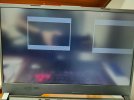
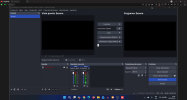
The menus suddenly go off, and only the preview and program windows are visible. The mouse is also not there and the screen becomes fully unresponsive. However, when I take screenshot, it shows full OBS!
If it helps: when I close OBS, the windows show ghost appearances for a second before they vanish. Similarly, when I start OBS, different elements come one by one, not in one go. I restarted the laptop but it still happens.
The menus suddenly go off, and only the preview and program windows are visible. The mouse is also not there and the screen becomes fully unresponsive. However, when I take screenshot, it shows full OBS!
If it helps: when I close OBS, the windows show ghost appearances for a second before they vanish. Similarly, when I start OBS, different elements come one by one, not in one go. I restarted the laptop but it still happens.
Last edited: