

I just experienced this issue on a really important meeting I was trying to record. Is there any way to find/salvage the audio? I checked multiple times throughout the meeting that the sound was registering but now that I have it remuxed the audio stops. Is it possible at all to "find" the audio? Any help sincerely appreciated
You are using an out of date browser. It may not display this or other websites correctly.
You should upgrade or use an alternative browser.
You should upgrade or use an alternative browser.
Question / Help Desktop Audio shows up in OBS, but doesn't play through stream or recording
- Thread starter flipnine
- Start date

jcpluzpluz
New Member
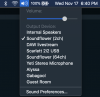
I went through several hours of research and frustration (and attempting all the solutions suggested in this forum and elsewhere), to no avail... but I finally figured out what my problem was. I'm posting here in case it helps anyone else. I'm using Soundflower to route audio from my DAW (Ableton Live) and have it play alongside my microphone input.
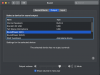
My audio meters were moving in OBS and I *thought* it wasn't recording my DAW audio to the output video file, but it was actually just recording it too quiet (compared to my microphone input). If you go into your Sound Preferences (on Mac OS), you can click on "Soundflower (2ch)" and adjust the left-right slider on the "Output volume". After adjusting, watch the sound meters in OBS so that your microphone and Soundflower levels are roughly the same.
Screenshots attached.
My audio meters were moving in OBS and I *thought* it wasn't recording my DAW audio to the output video file, but it was actually just recording it too quiet (compared to my microphone input). If you go into your Sound Preferences (on Mac OS), you can click on "Soundflower (2ch)" and adjust the left-right slider on the "Output volume". After adjusting, watch the sound meters in OBS so that your microphone and Soundflower levels are roughly the same.
Screenshots attached.
Attachments

ThePerfectName
New Member
I just got this problem and tried everything above still doesn't work. I can make it so I can hear my Desktop, but everything else is has no audio
OBS is recognizing my desktop audio. I see the green bar move like normal in the mixer area of OBS. However, when i make a recording or check the stream, the desktop audio isn't there.
I've tried changing all the desktop audio settings. Microphone audio comes out fine. Its probably something that will make me look silly, but I'd appreciate the help anyways.
Log file is attached.
I have the same issue, but this didn't work for me. My audio input only shows as one source :(.I'm also having this issue, and this was the solution for me.
Can the team please pin this as a known problem and potential fix? This has been affecting users for years.

Akira Furball
New Member
And 8 years later you are still saving lives. THANK YOU :)i finally fixed your problem that's been happening to me too. So what you do is you go in to settings and make your first audio device default and then your second if you record with earphones make the second device your earphones then audio comes back voila.