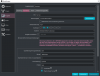
Question / Help Desktop-Audio is not included?

Why not?
So, I have selected the desktop audio and it is recognized too (my headphones). Nevertheless, only the microphone is working now, not the desktop audio.

I've had it since I set the tracks. Pictures are in my thread.

I would be happy if someone could help me. Maybe I got the tracks wrong, which I think.

PLEASE HELP.

 

Attachments

  • 0_big.png
    0_big.png
    23.7 KB · Views: 27
  • 1_big.png
    1_big.png
    85.9 KB · Views: 27
I have the exact same audio track setup as you and I also have the exact same problem. Mine are picking up the desktop audio, though it's almost unnoticeable. Did you try boosting it to see if it picks up any sound at all? (Eventually it'll just become distorted noise, but just to test if it still picks up anything at all)

I have had audio volume problems for months now (It being too low, especially the desktop audio). I've just been boosting the recorded audio in my editing software so people can at least hear it. so after some searching here, I noticed it was recommended to max my Windows volume on what I want to record and then set the volume within those applications' own volume settings to my preferences. That way OBS should be able to record those all at the same volume as I'm hearing them.
Problem is, it doesn't, it got worse now. It led me to have the same issue as MiloKartoffelkot now, because while my microphone audio is finally normal, my desktop audio volume is now so ridiculously low, I have to boost it to distorting levels to be able to hear it (Worse than before I did that Windows volume change, as back then I could boost desktop audio just enough so that people could hear it without it becoming distorted.
 
Back
Top