

miguel_lopez
New Member
Hi everyone.
I'm experiencing that isue when I'm working with Autodesk Inventor. Evrything works fine excetp when i clidk the right boton of the mouse then I can watch the context menu in the screen but it is not captured in OBS. It also happens wiht several icons that emerge automatically during the normal work with the program.
The program itself works fine. I think it has to be something related with the graphics or something like that.
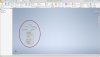
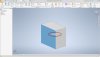
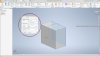
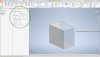
I attach several images to show the issue. The red zones are not captured in OBS. More strange if i attach one of the float menus to the left it is well captured (green circle).
I tried both methods, window capture and screen capture without success.
Log file: https://obsproject.com/logs/-6HqhWhC4vK7zHAB
I'm experiencing that isue when I'm working with Autodesk Inventor. Evrything works fine excetp when i clidk the right boton of the mouse then I can watch the context menu in the screen but it is not captured in OBS. It also happens wiht several icons that emerge automatically during the normal work with the program.
The program itself works fine. I think it has to be something related with the graphics or something like that.
I attach several images to show the issue. The red zones are not captured in OBS. More strange if i attach one of the float menus to the left it is well captured (green circle).
I tried both methods, window capture and screen capture without success.
Log file: https://obsproject.com/logs/-6HqhWhC4vK7zHAB
