Capture card not previewing audio even when set to "Monitor and output"

Mathias4595

New Member
Basically what the title says. I have a capture card that is not outputting audio on the preview, despite it showing up in the mixer and having the advanced properties set to "Monitor and Output". I have reinstalled the capture card drivers and restarted the system, nothing has changed. It works in recordings, but I need to be able to hear it for some things during a session and I also need it when doing screenshares with friends.
Any suggestions are welcomed.
 

Attachments

  • Screenshot 2023-04-02 104429.png
    Screenshot 2023-04-02 104429.png
    4.6 KB · Views: 14
  • Screenshot 2023-04-02 104413.png
    Screenshot 2023-04-02 104413.png
    3.7 KB · Views: 12
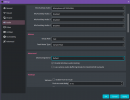
Just says "default", there's an extra tickbox that's ticked saying "Disable Windows auto-ducking" and then the Low Latency Audio Buffering is unchecked.
 

Attachments

  • Screenshot 2023-04-02 141807.png
    Screenshot 2023-04-02 141807.png
    42.5 KB · Views: 12
"Default" defers the device selection to Windows. Is Windows' selection correct?

For predictability though, I'd avoid using "default" if at all possible. Choose the device(s) here in OBS, so that Windows' selection has no effect, nor do its automatic changes when you plug in something new, or another app changes it, or whatever.
 
Yeah I just changed it to my audio output and that fixed it, hopefully it still works over screenshares in Discord, haven't tried that yet
 
Back
Top