dave_rookie
New Member
Hi all,
I've spent the last 2-3days trying to figure this out but i havent found an exact solution (or its not working), so sorry if i missed out a similar thread in hear but cant seem to find it. i'm feeling exasperated atm, but then again I'm not even sure this is something possible to do...
I'm trying/wish to fix recording to a specific window/app no matter what is shown on screen.
In this case I wish to record photoshop and only photoshop, no other windows,bars, etc. Therefore if for example I open windows explorer to find a file for loading, or lets say switch to browser to loads some music, I do not want the current window/browser etc to show up (despite it is on top of photoshop).
Now the settings I'm applying are as follows.
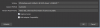
I've created a new source, set to window, from which I've chosen photoshop (see screen shot attached)
I've also tried clicking the lock icon near the eye/visible icon in the source panel of OBS.
Neither of it worked, and everytime I change to any other window/app/browser etc, it's showing up in the recording aswell.
so is this possible to do? if not, any work around?
Running Windows 7, and I've only got a single monitor, thats one of the reasons i want to fix it to a particular app
thanks in advance
Dave
I've spent the last 2-3days trying to figure this out but i havent found an exact solution (or its not working), so sorry if i missed out a similar thread in hear but cant seem to find it. i'm feeling exasperated atm, but then again I'm not even sure this is something possible to do...
I'm trying/wish to fix recording to a specific window/app no matter what is shown on screen.
In this case I wish to record photoshop and only photoshop, no other windows,bars, etc. Therefore if for example I open windows explorer to find a file for loading, or lets say switch to browser to loads some music, I do not want the current window/browser etc to show up (despite it is on top of photoshop).
Now the settings I'm applying are as follows.
I've created a new source, set to window, from which I've chosen photoshop (see screen shot attached)
I've also tried clicking the lock icon near the eye/visible icon in the source panel of OBS.
Neither of it worked, and everytime I change to any other window/app/browser etc, it's showing up in the recording aswell.
so is this possible to do? if not, any work around?
Running Windows 7, and I've only got a single monitor, thats one of the reasons i want to fix it to a particular app
thanks in advance
Dave