Hey guys,
first of all, sorry for my bad english, I'm from germany and my english isn't that well.
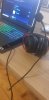
I just connected my HyperX Cloud 2 Headset to my Laptop (XMG A507). There is no problem in hearing sounds or
talking in progams like discord or teamspeak. But if I want to create a Source in OBS for audio output (or input),
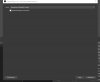
the program just finds "Microphone Realtek R-Audio", which is the source of my laptop, no external headset or microphone.
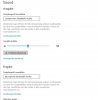
Also in Windows Sound settings I can't find an other option than "Microphone Realtek".
So I don't understand why I can hear everything and speak in Discord with other people, but can't connect my Headset
with OBS. Do you maybe have any solution for this?
I added some pictures for explanation. Thanks in advance guys <3
first of all, sorry for my bad english, I'm from germany and my english isn't that well.
I just connected my HyperX Cloud 2 Headset to my Laptop (XMG A507). There is no problem in hearing sounds or
talking in progams like discord or teamspeak. But if I want to create a Source in OBS for audio output (or input),
the program just finds "Microphone Realtek R-Audio", which is the source of my laptop, no external headset or microphone.
Also in Windows Sound settings I can't find an other option than "Microphone Realtek".
So I don't understand why I can hear everything and speak in Discord with other people, but can't connect my Headset
with OBS. Do you maybe have any solution for this?
I added some pictures for explanation. Thanks in advance guys <3